Pick up in store
Check out with Pick up instead of Ship, skip the shipping step, and see Pickup on the order status page.
When the store offers pickup at one of its locations (see Shipping and delivery), the buyer can collect the order instead of having it shipped. Pickup is free.
Check out with Pick up
- On the checkout’s Information step, type your Email.
- Under Delivery, choose Pick up.
- Under Pickup location, choose where to collect it, here Shop location – Usually ready in 2 hours. The shipping address can be left empty.
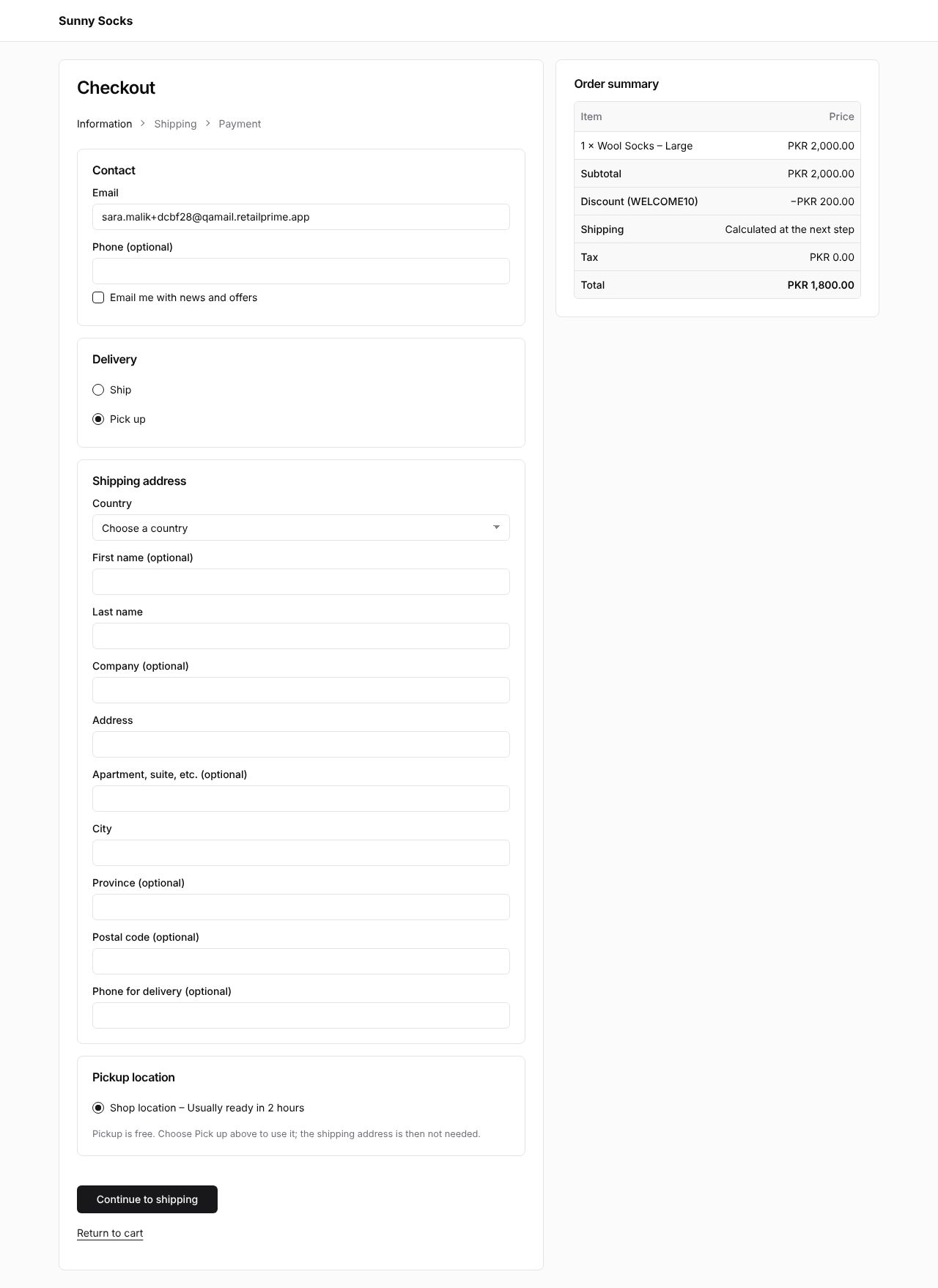
- Press the button at the bottom, Continue to shipping.
Payment
There is no Shipping step: the steps at the top are Information and Payment, and Shipping in the Order summary is Free. Pay as on any order (see Checkout: shipping and payment).
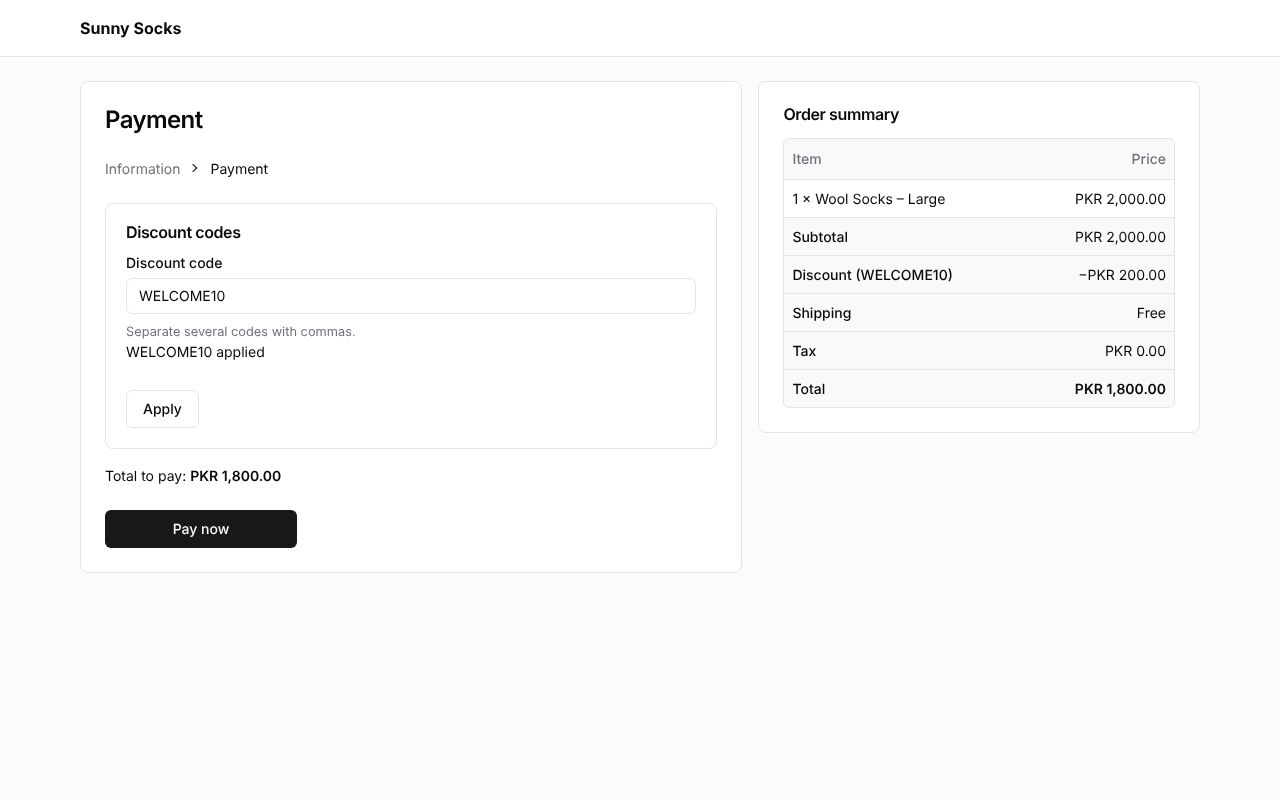
Here the code WELCOME10 is still applied from the buyer’s first order, made in the same browser.
The order status page
The order’s page shows Pickup and the location, Shop location, instead of a shipping address.
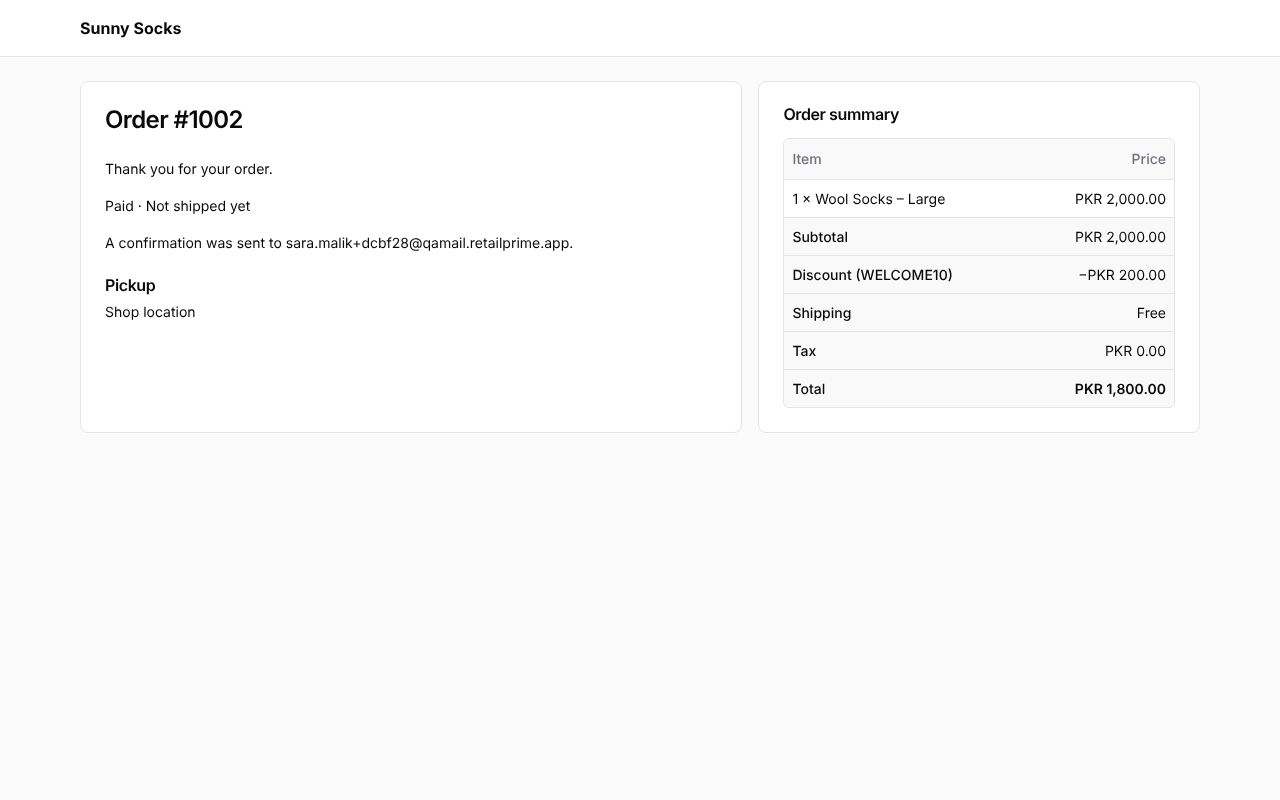
The store marks the order as picked up when the buyer collects it (see Shipping and delivery).
What’s next
Sign in to your account: see your orders and addresses on the store.