The cart
The cart page, changing quantities, an order note, removing items, the empty cart, and the cart on a phone.
Add to cart opens Your cart, a page of its own. You can open it at any time with the bag icon at the top right of the header, which shows how many items are in the cart, here 2.
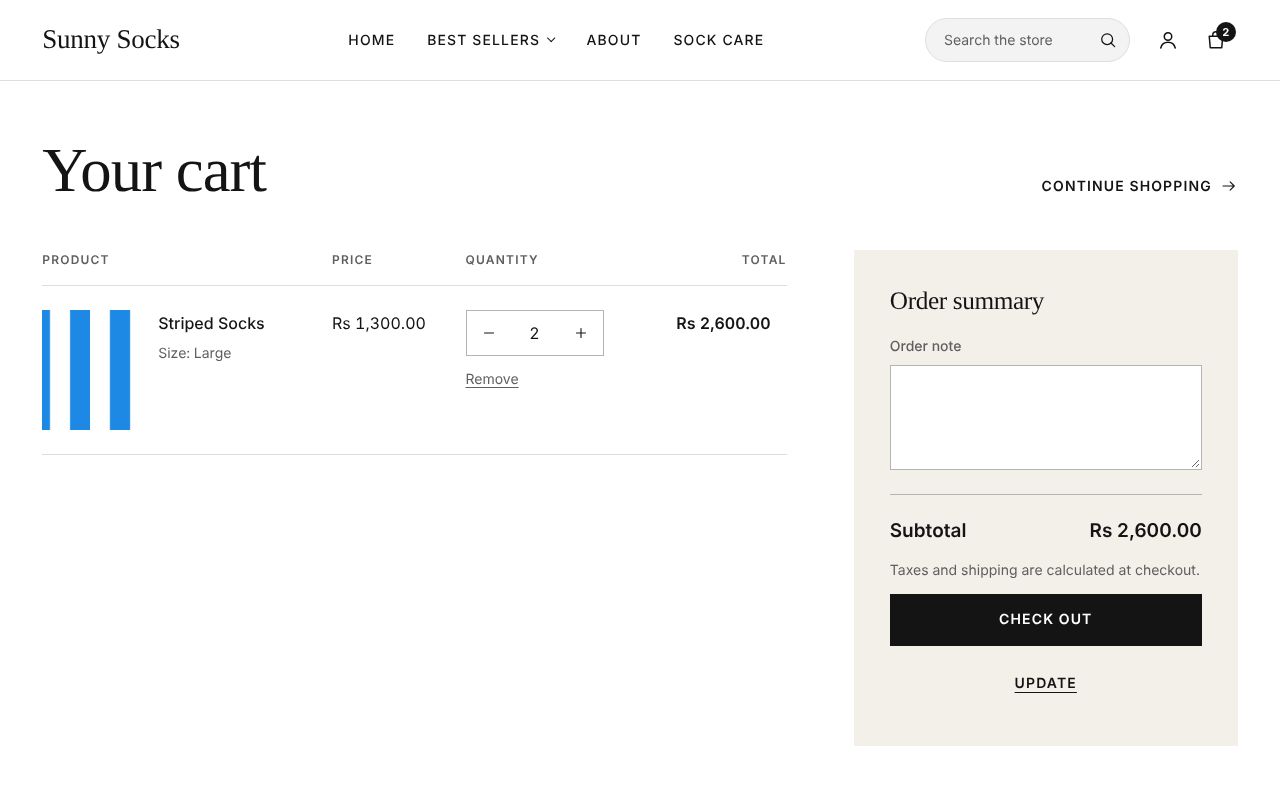
Each line shows the product’s picture, name and size, its Price, its Quantity with − and + and Remove under it, and its Total. On the right, the Order summary has:
- Order note: a message for the store, such as
Gift wrap, please; - Subtotal: the products’ total, with Taxes and shipping are calculated at checkout.;
- Check out: goes to the checkout (see Checkout: contact and delivery);
- Update: saves the quantities and the note you changed.
Continue shopping at the top right goes back to every product.
Change a quantity
Here a pair of Rainbow Socks in Small was added too.
- Change a line’s Quantity with − and +, or type a number: here
3for Rainbow Socks. - Type an Order note if you like.
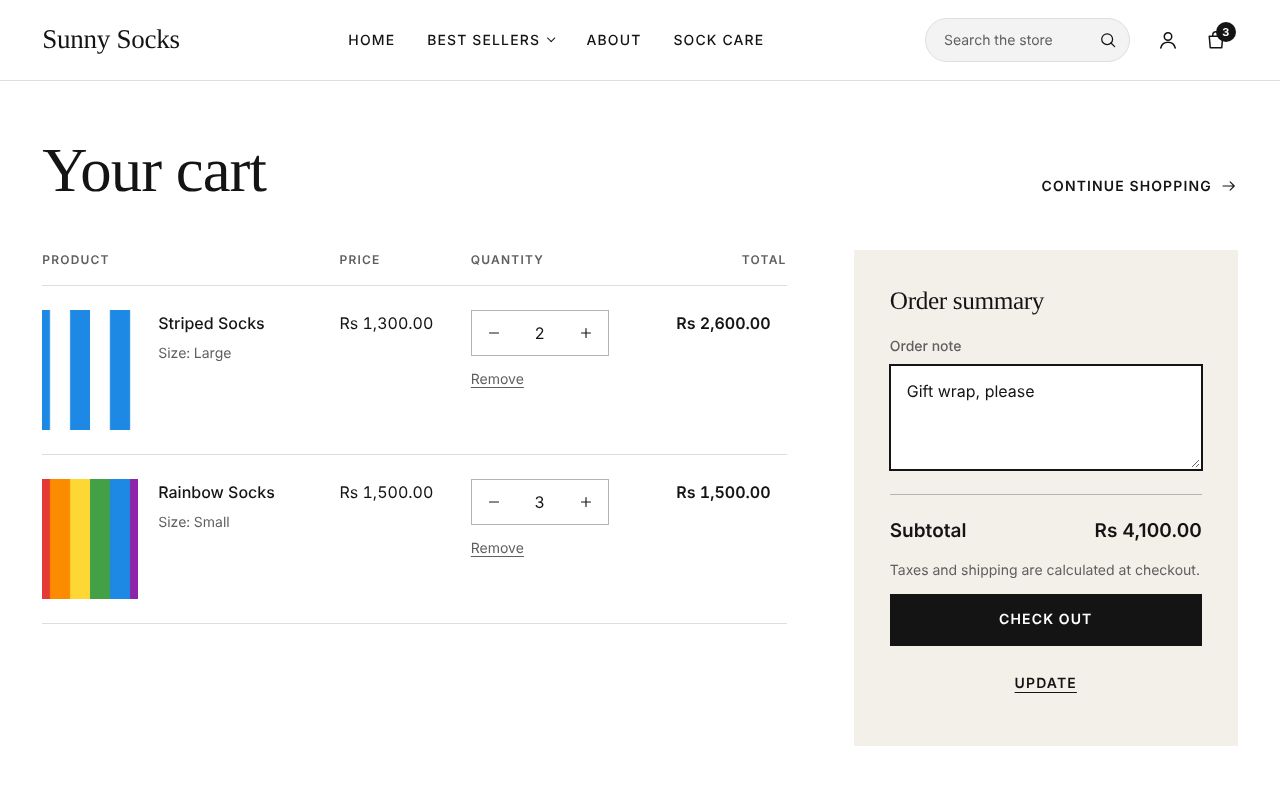
- Press Update.
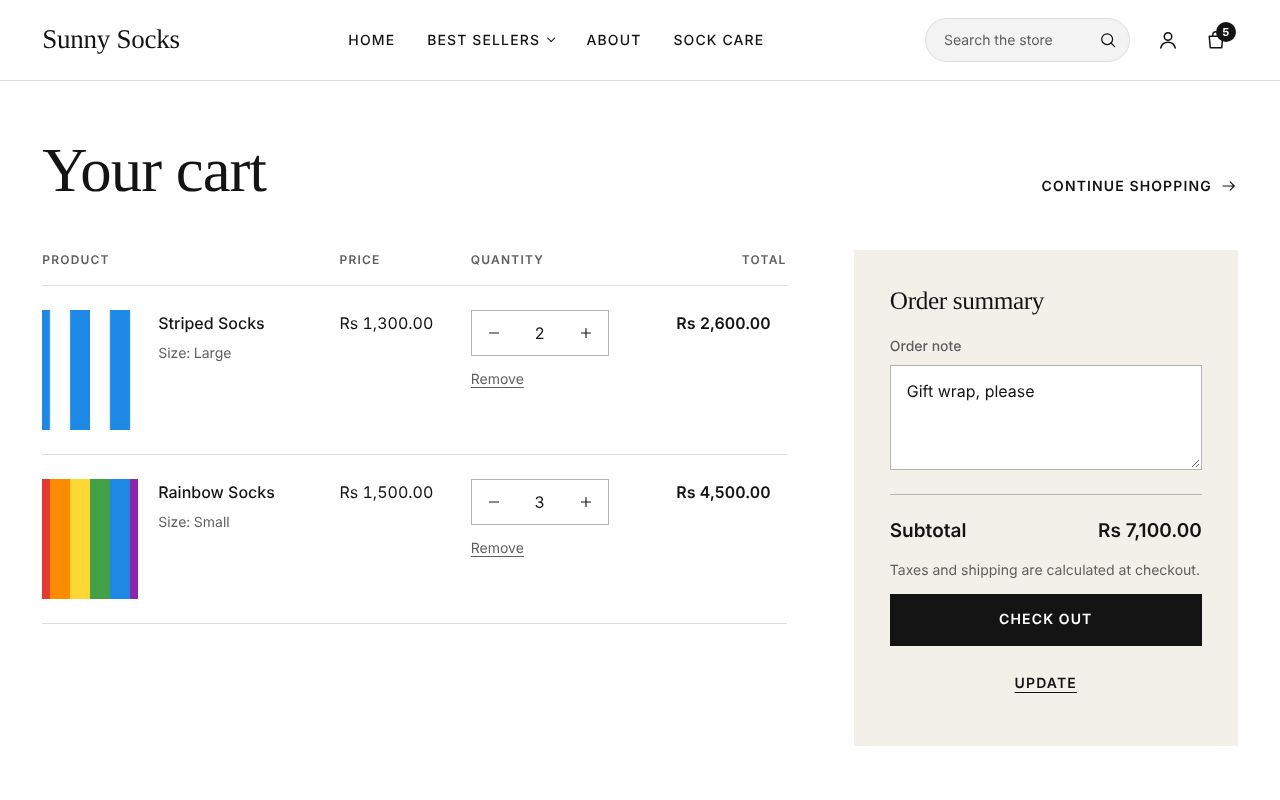
The totals change: Rainbow Socks is now Rs 4,500.00, the Subtotal Rs 7,100.00, and the bag icon shows 5.
Remove an item
Press Remove under a line’s quantity. The line goes away at once.
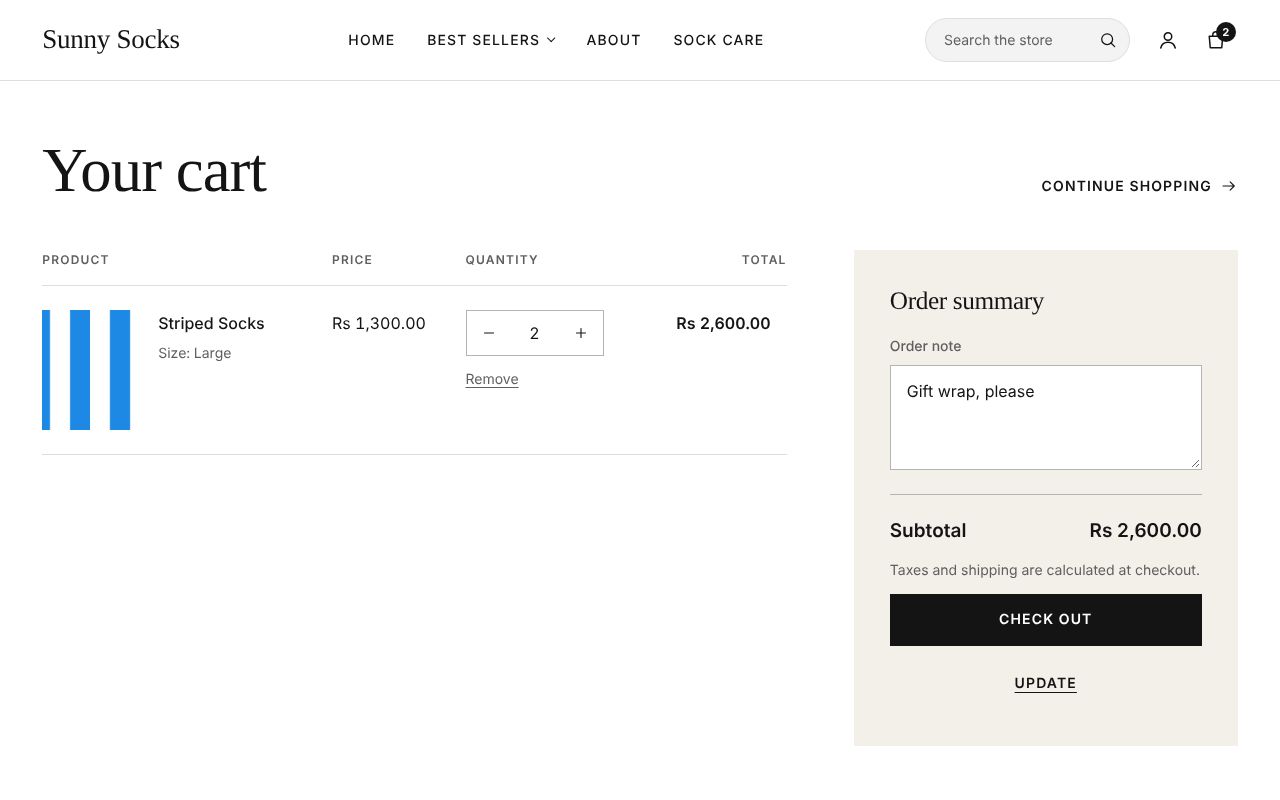
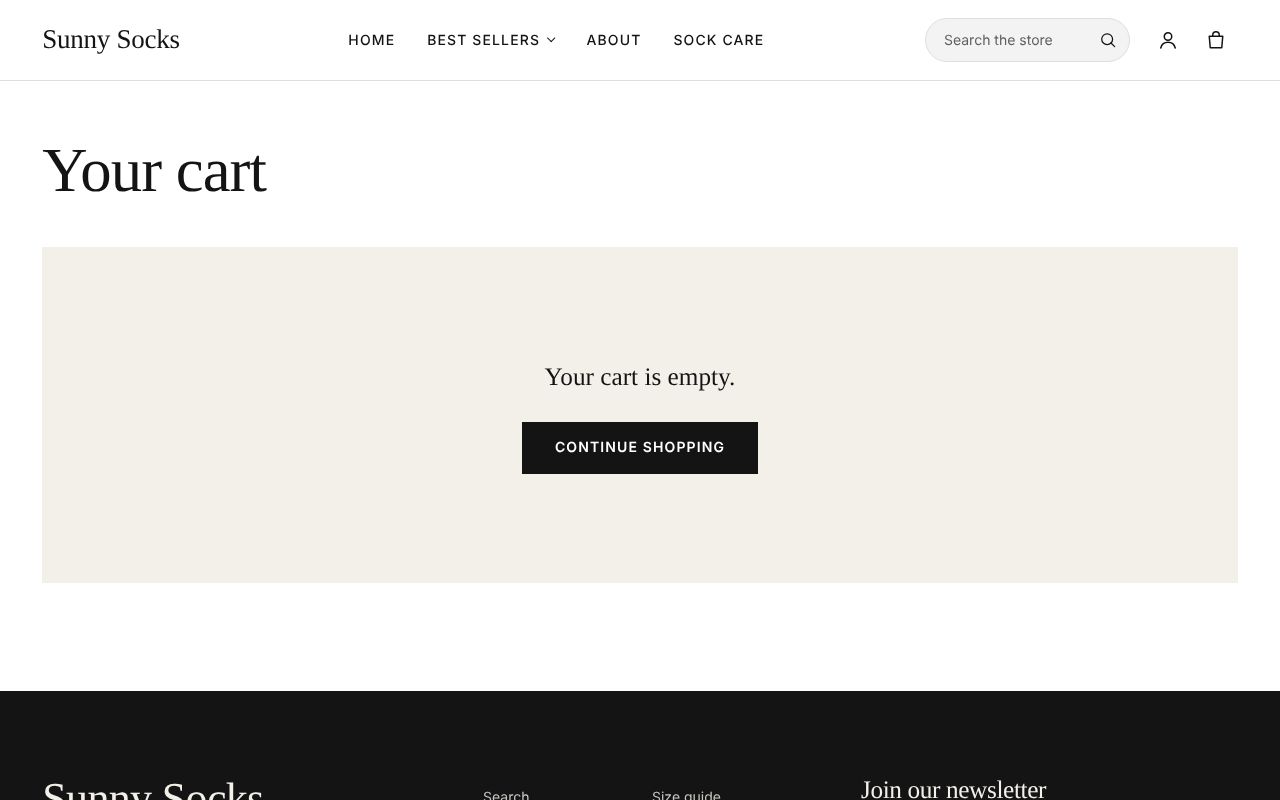
When the last line is removed, the cart says Your cart is empty., with Continue shopping.
On a phone
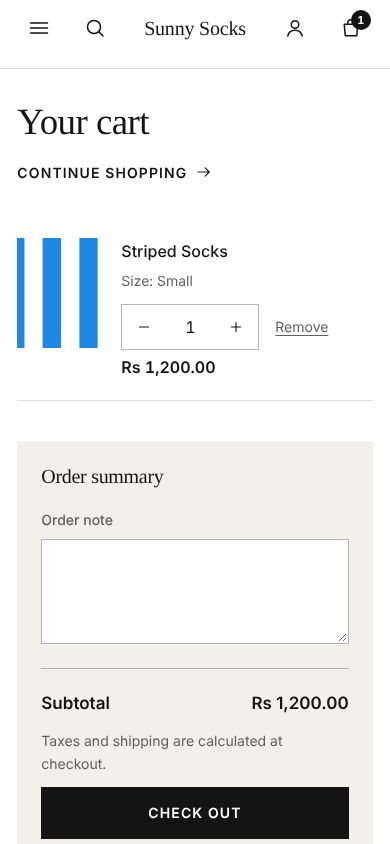
On a phone, each line shows its quantity and Remove under the product’s name, and the Order summary comes below the lines.
What’s next
Checkout: contact and delivery: press Check out and fill in the first step.