Sign in to your account
Sign in on the store with a code sent by email, no password needed, and find your way around the account pages.
Buyers can have an account on your store, to see their orders, ask for returns and keep their addresses. There is no password: each time, the store emails a 6-digit code. Any email works, and a buyer who has never ordered gets an account the first time they sign in.
Sign in
- On the store, press the person icon at the top right of the header (its name is Sign in).
- The Sign in page opens, with the store’s name at the top. It says We’ll email you a code to sign in. No password needed.
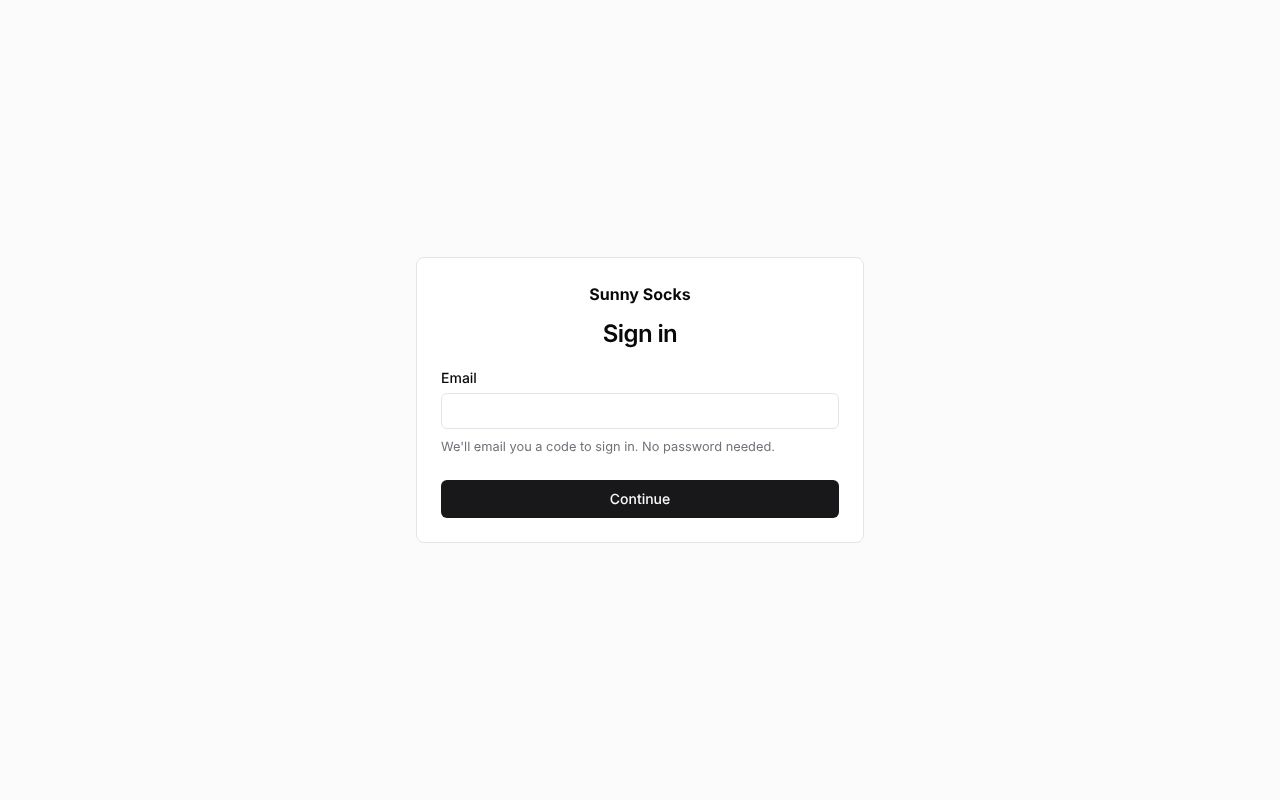
- Type your Email, such as
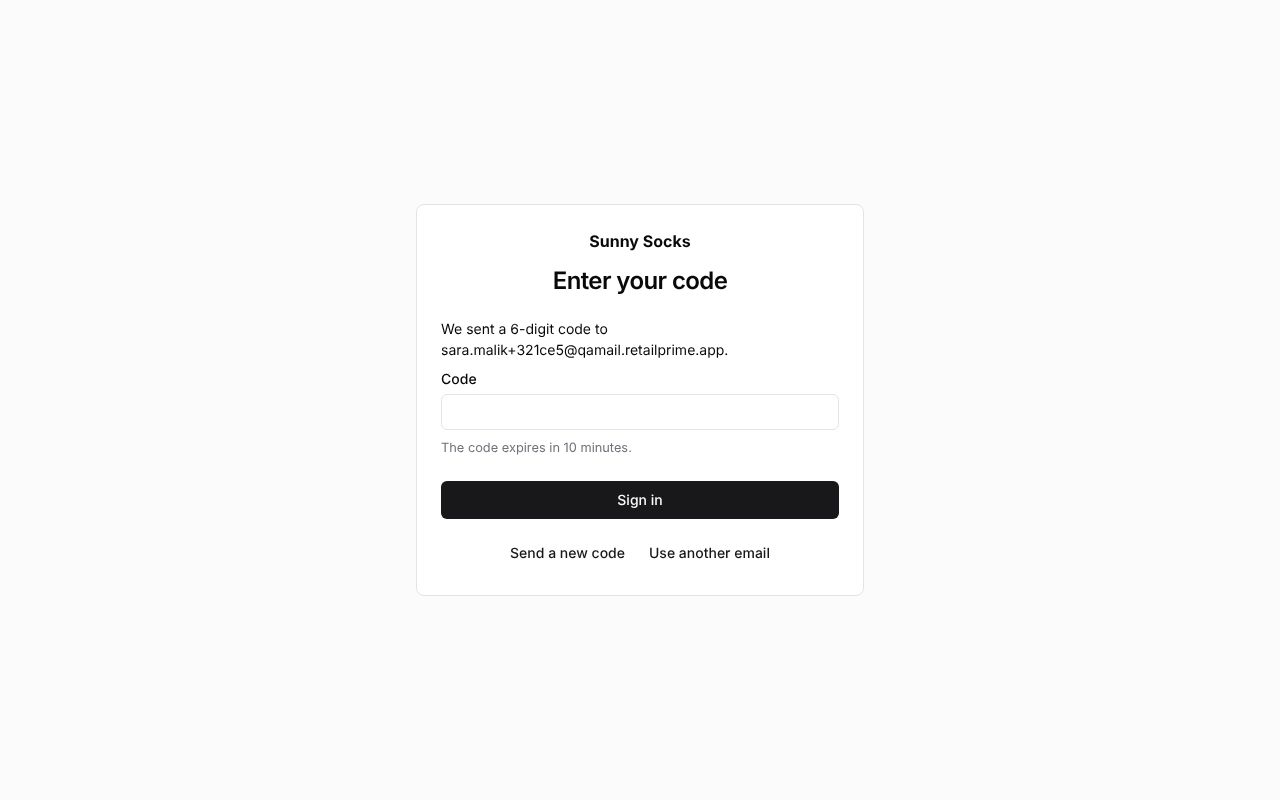
sara.malik@qamail.retailprime.app, and press Continue. - The page Enter your code says We sent a 6-digit code to and your email, and The code expires in 10 minutes.
- Open the email. Its subject is the code, then is your code for Sunny Socks. It says Use this code to sign in to your account at Sunny Socks:, the code in large figures, and It expires in 10 minutes. If you did not ask to sign in, you can ignore this email.

- Type the code in Code and press Sign in.
Your account’s Profile opens (see Your account’s pages below).
A wrong code
A wrong code shows That code is not right. in red with how many tries are left, such as 4 tries left. After 5 wrong tries, ask for a new code.
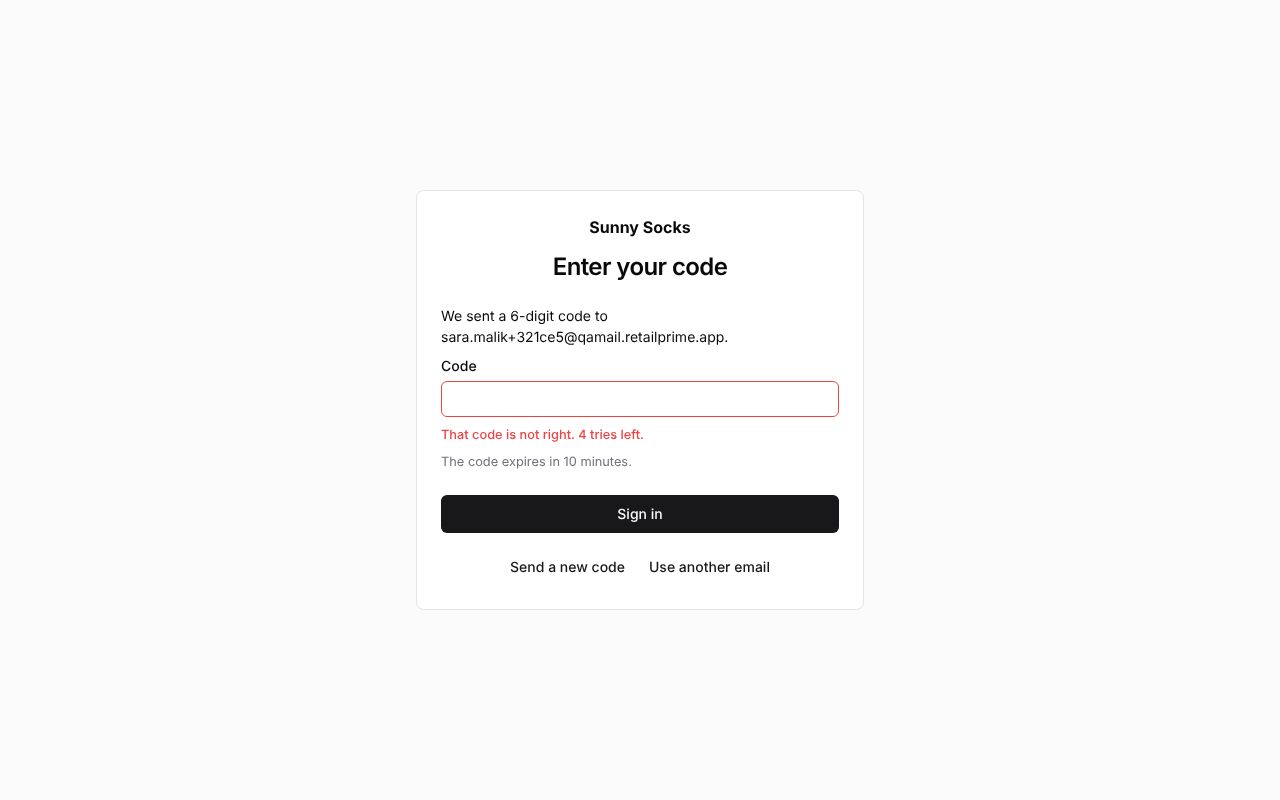
- Send a new code emails a new code to the same address.
- Use another email goes back to the first page.
Your account’s pages
The account’s pages have the store’s name at the top left, and at the top right a mode menu (Light, Dark or System) and Sign out. On the left are the account’s pages: Profile, Orders and Addresses (and Locations for a company’s buyers, see A company buyer).
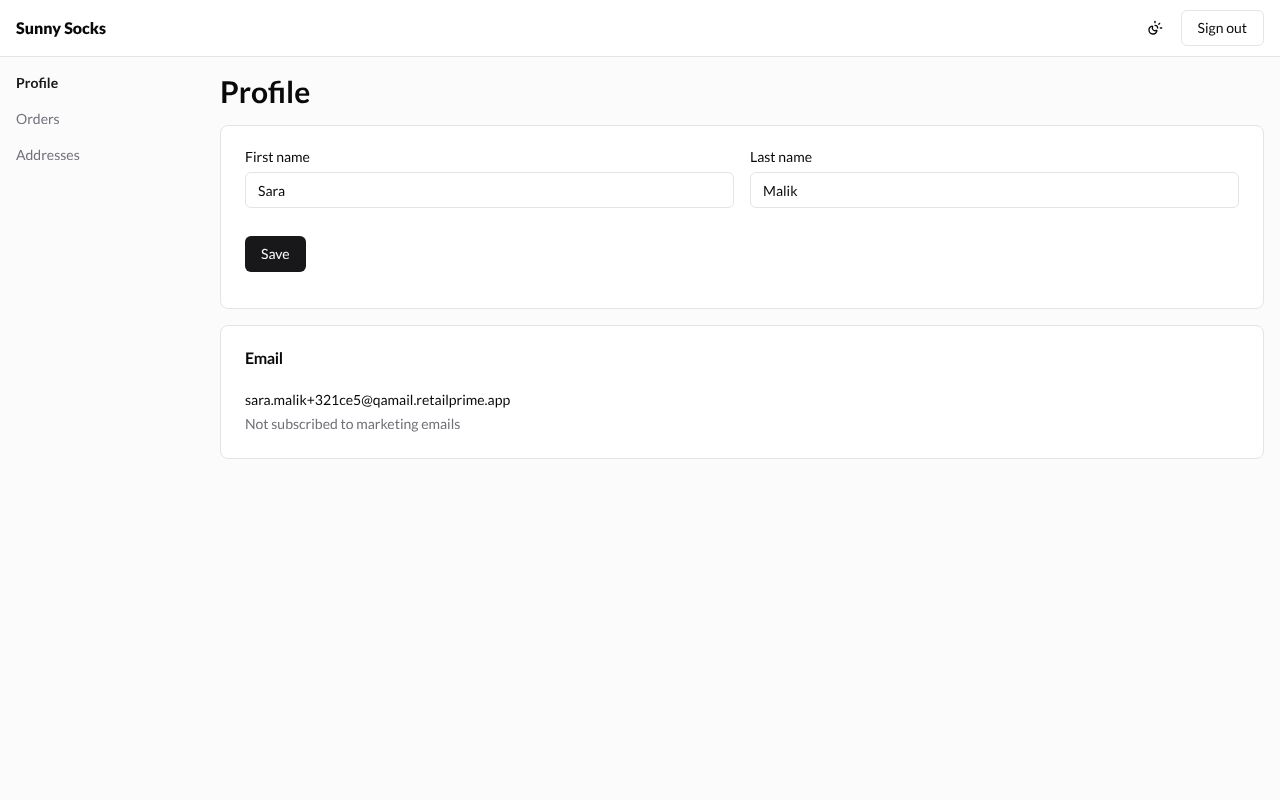
Profile has the buyer’s First name and Last name, and their Email with whether they get the store’s marketing emails. Here the name came from the buyer’s first order.
The pages look the same on every store, whatever its theme. To go back to the store, type its address; the person icon in the store’s header is now called Account and opens these pages again.
What’s next
Orders and returns: see your orders, ask for a return and buy again.