Addresses and profile
Add, edit, make default and delete your saved addresses, and change your name.
Addresses
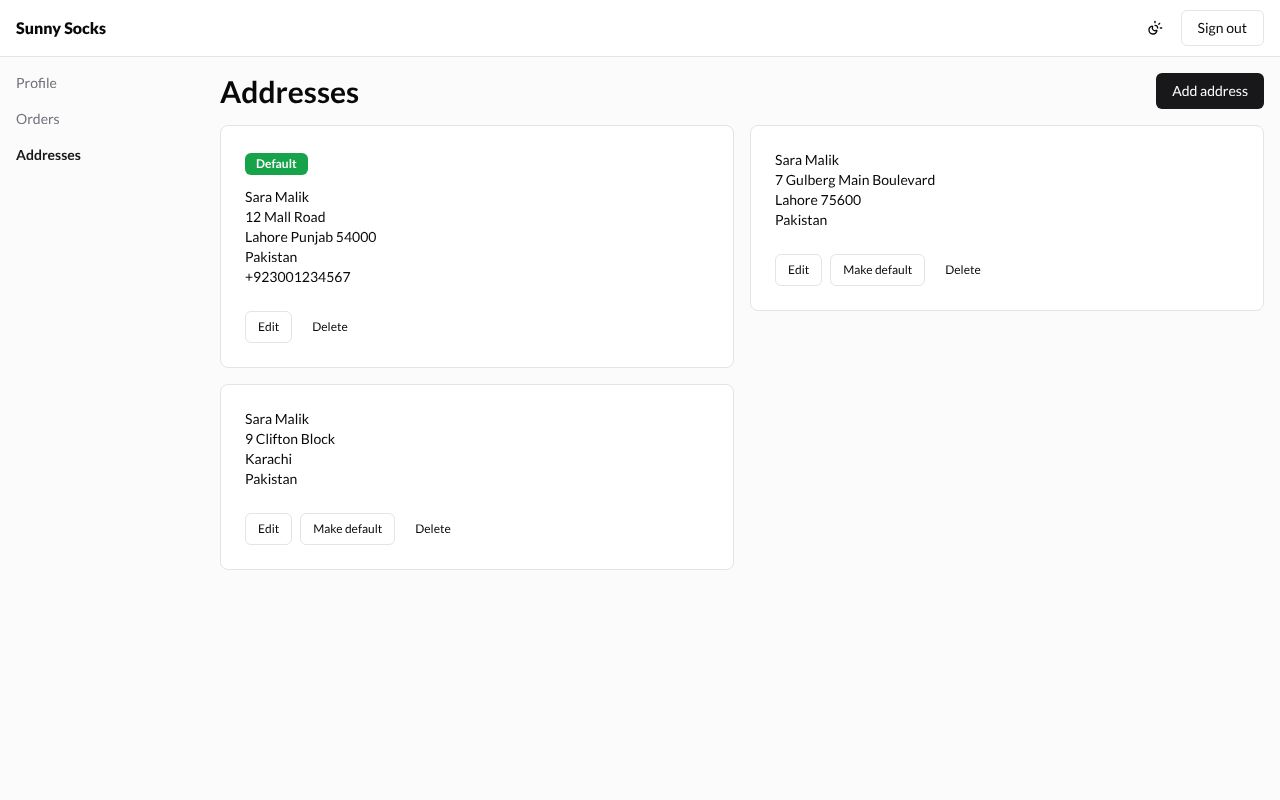
In your account, press Addresses. Each saved address is a card. The Default one, marked in green, comes first. The address typed at checkout is saved here too: this buyer’s first order already added 7 Gulberg Main Boulevard.
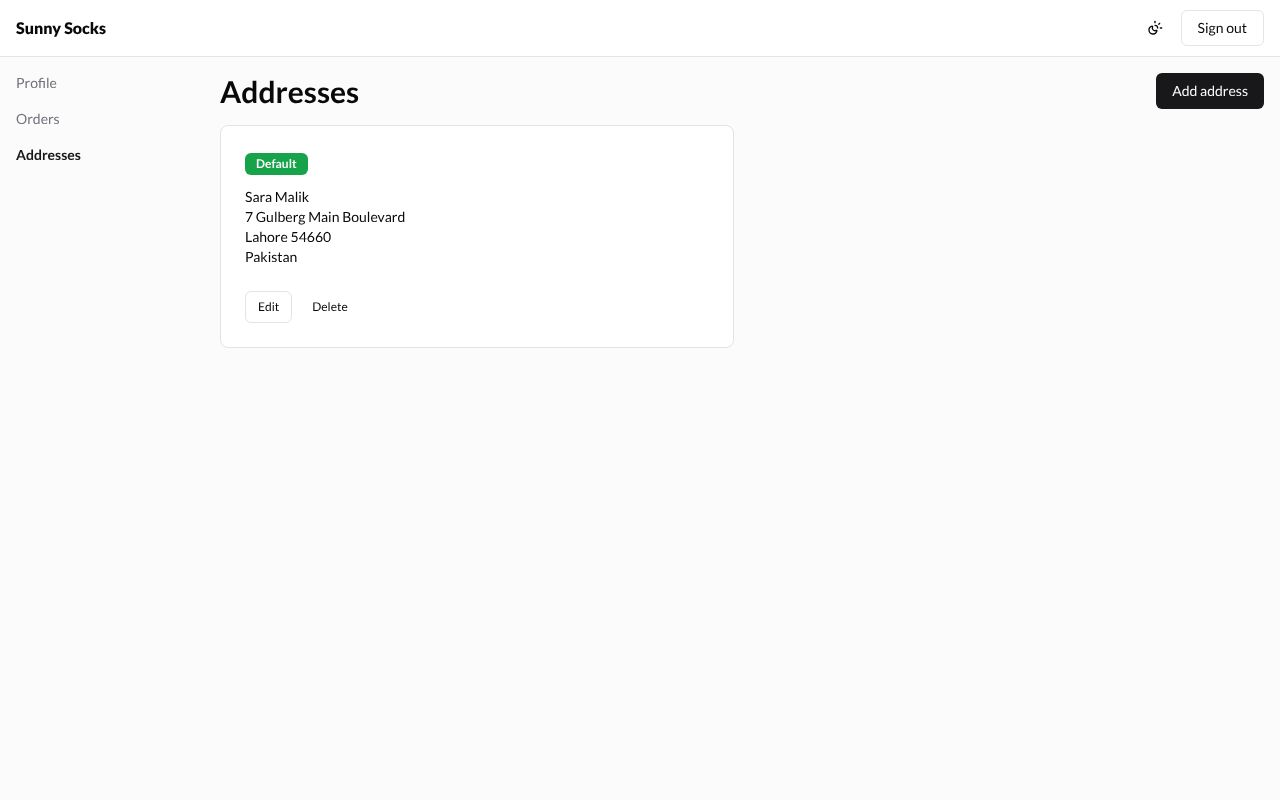
A buyer with none sees You have no saved addresses yet.
Add an address
- Press Add address at the top right.
- Fill in the Add address window. Boxes with a star (*) must be filled in.
| Box | What to type | Example |
|---|---|---|
| Country * | Choose from the list; type to search it | Pakistan |
| First name and Last name | Sara Malik |
|
| Company | ||
| Address * | The street and number | 12 Mall Road |
| Apartment, suite, etc. | ||
| City * | Lahore |
|
| Province | Punjab |
|
| Postal code | 54000 |
|
| Phone | +92 300 1234567 |
|
| Make this my default address | Tick it to make this the default | not ticked |
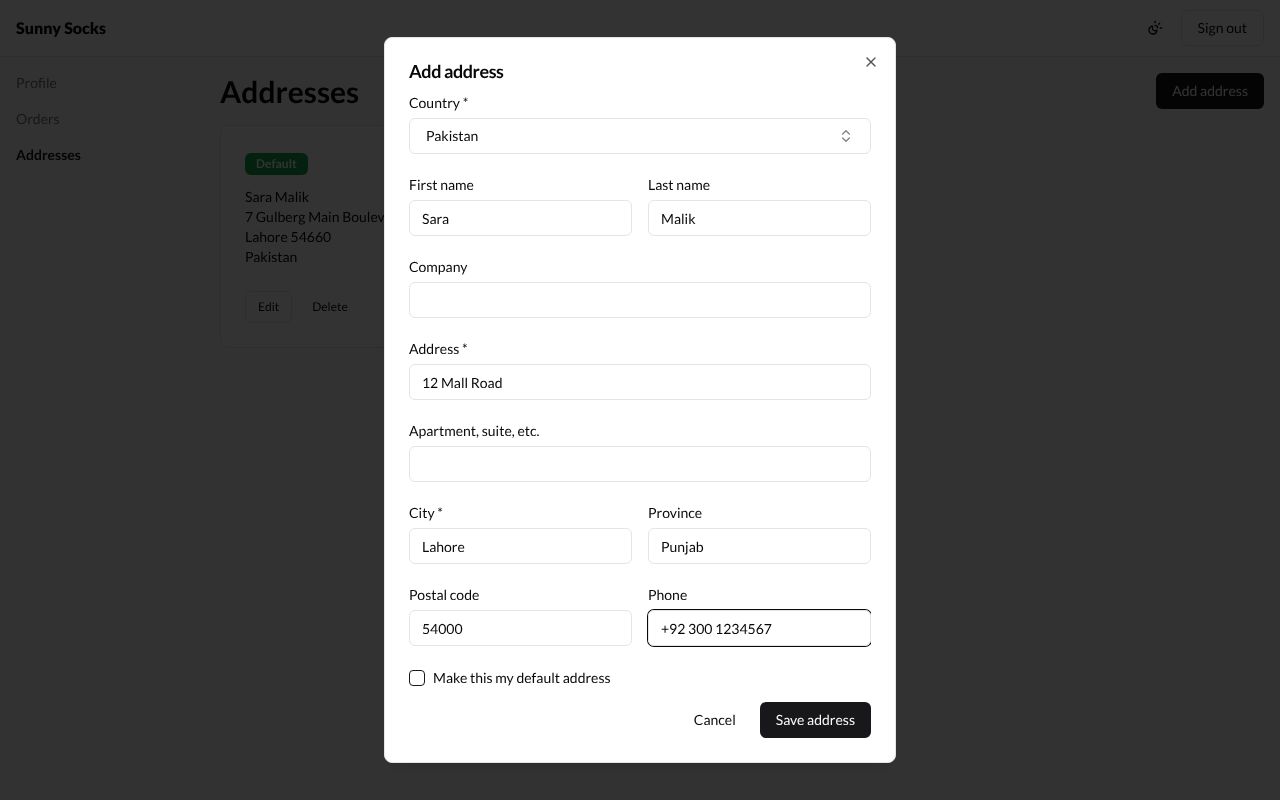
- Press Save address. Cancel closes the window without saving.
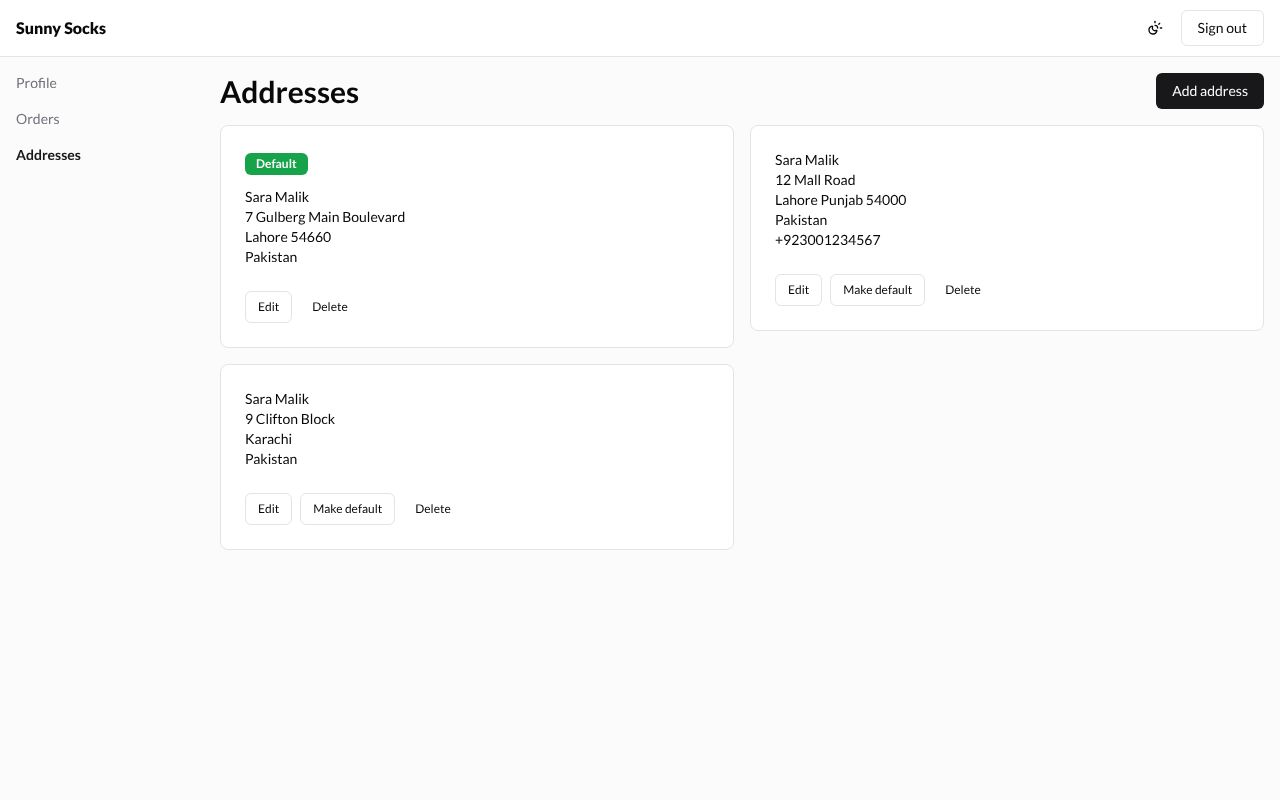
Here a third address, 9 Clifton Block, Karachi, was added the same way. Each card that isn’t the default has Edit, Make default and Delete:
Make an address the default
Press Make default on its card. It gets the green Default mark and moves first.
Edit an address
- Press Edit on its card. The Edit address window has the same boxes, filled in.
- Change what you need, here the Postal code of 7 Gulberg Main Boulevard to
75600.
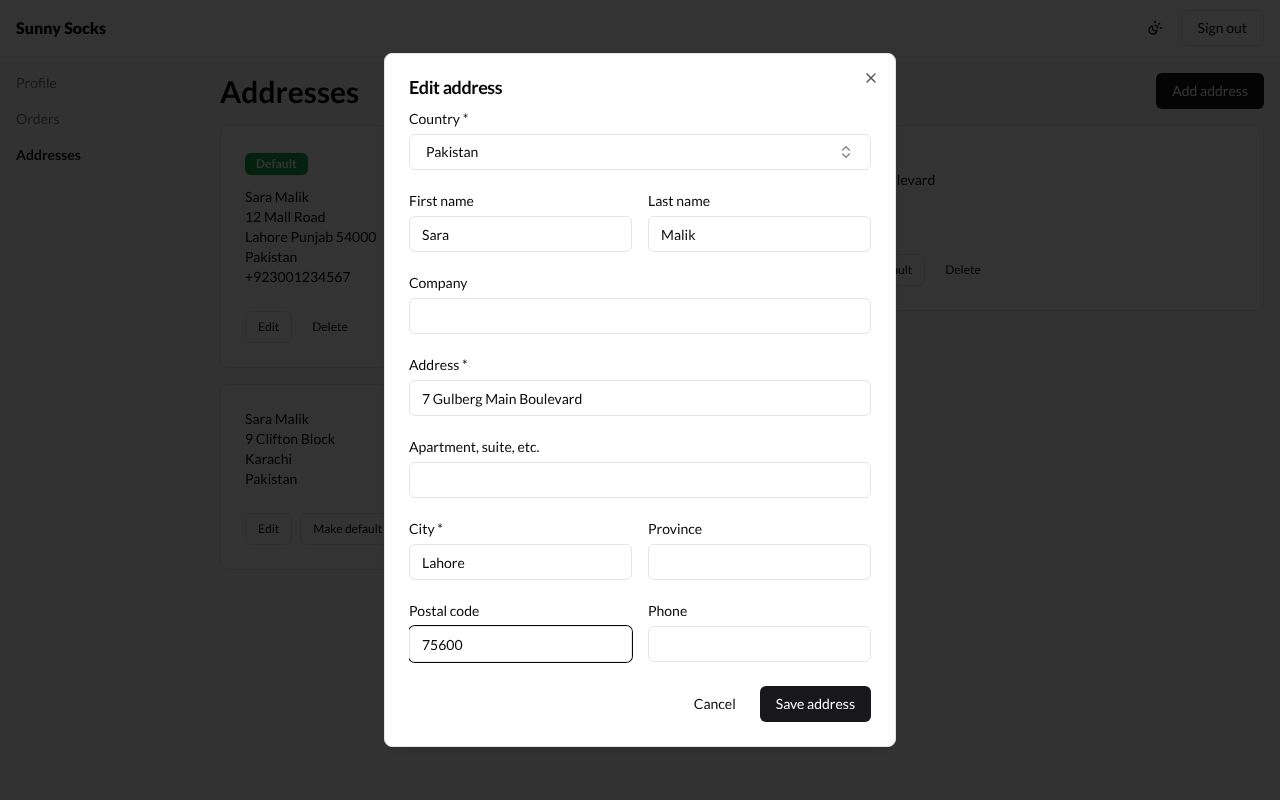
- Press Save address.
Here 12 Mall Road was made the default first, so it now comes first; 7 Gulberg Main Boulevard shows its new postal code, Lahore 75600.
Delete an address
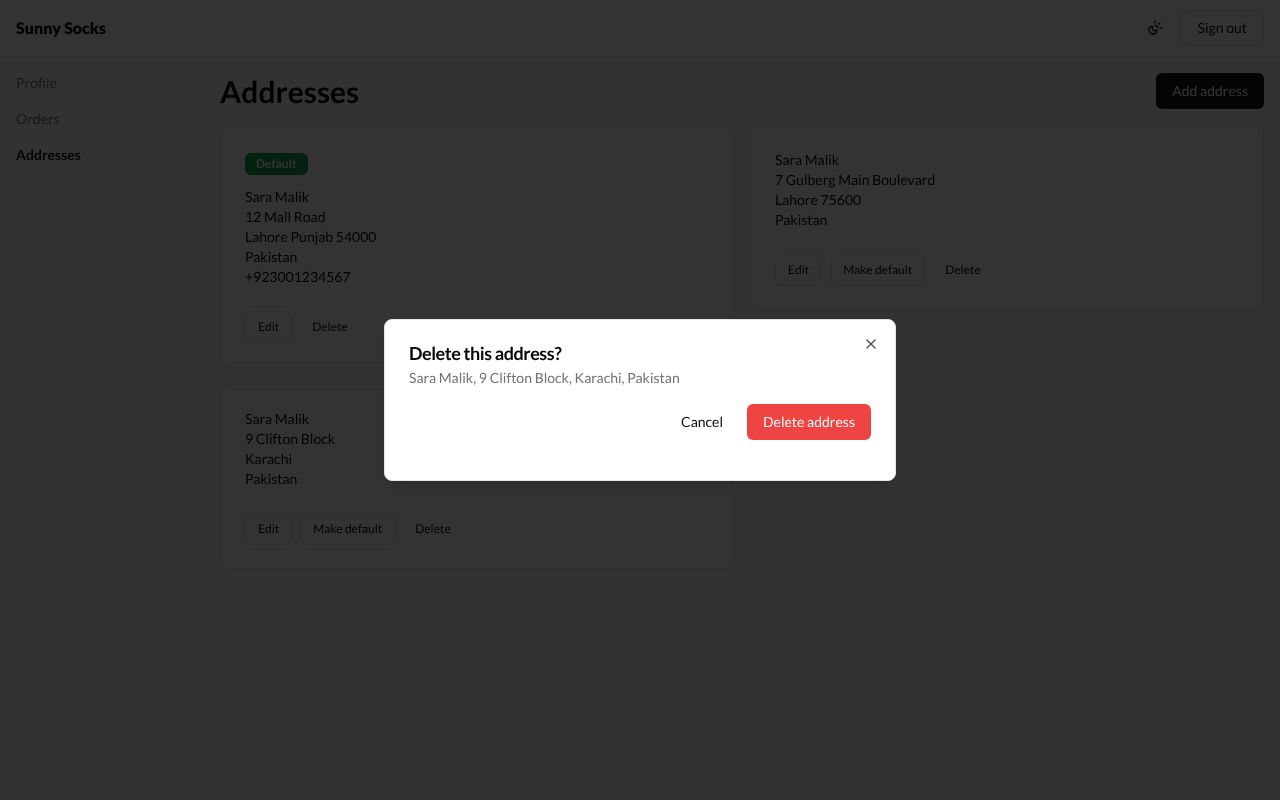
- Press Delete on its card.
- The window Delete this address? names the address, here Sara Malik, 9 Clifton Block, Karachi, Pakistan.
- Press Delete address. Cancel keeps it.
Profile: change your name
- Press Profile.
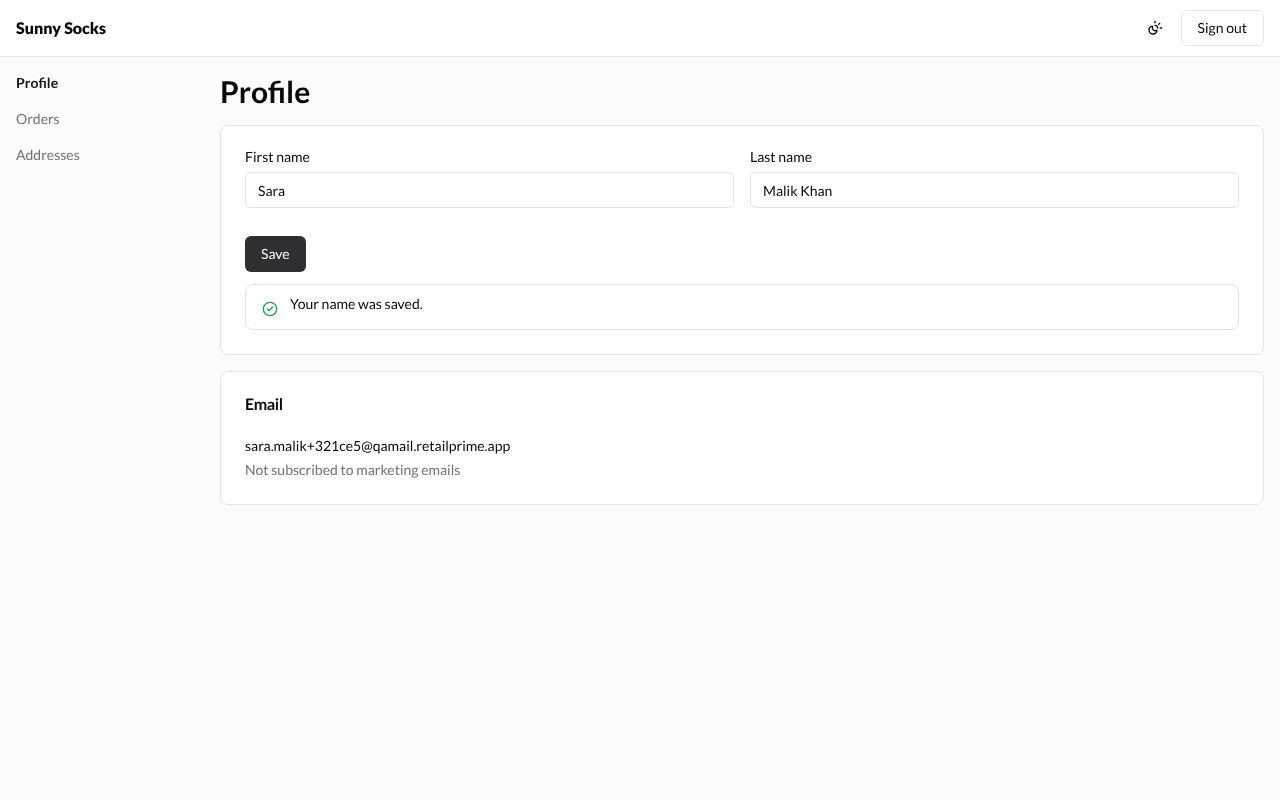
- Change First name or Last name, here
Malik Khan. - Press Save.
The page says Your name was saved. The email can’t be changed here.
What’s next
Store credit and signing out: spend the store’s credit at checkout, and sign out.