Orders and returns
The buyer's list of orders, an order's page with its tracking, asking for a return, buying an order again, and the orders on a phone.
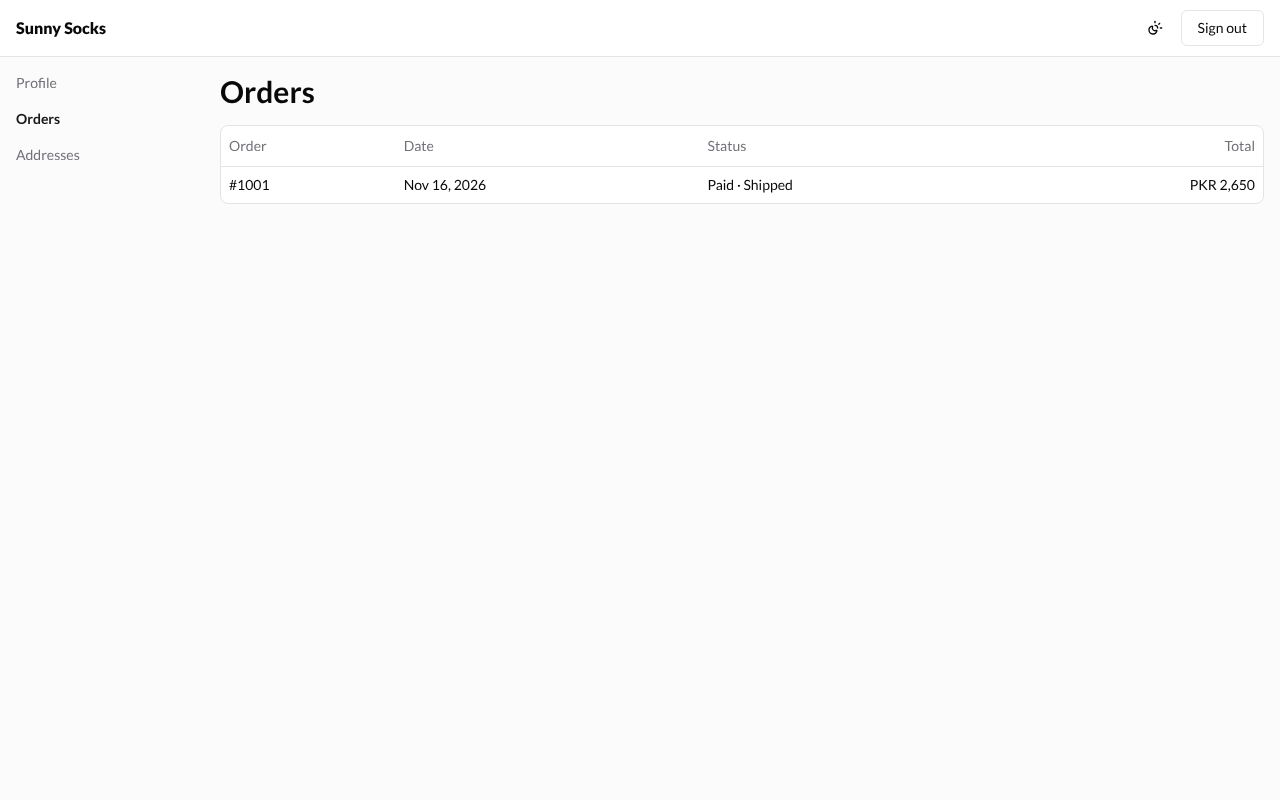
Your orders
In your account, press Orders. Each order is a line with its number (Order), Date, Status and Total. Every order placed with the account’s email is here, including orders placed before signing in.
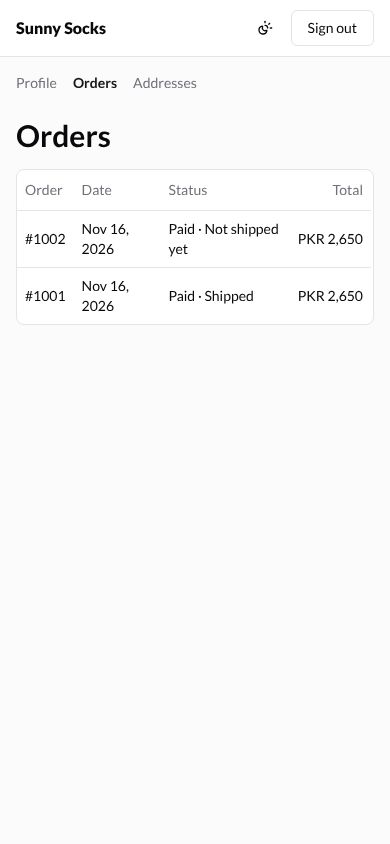
On a phone, the pages are listed across the top instead of on the left:
An order
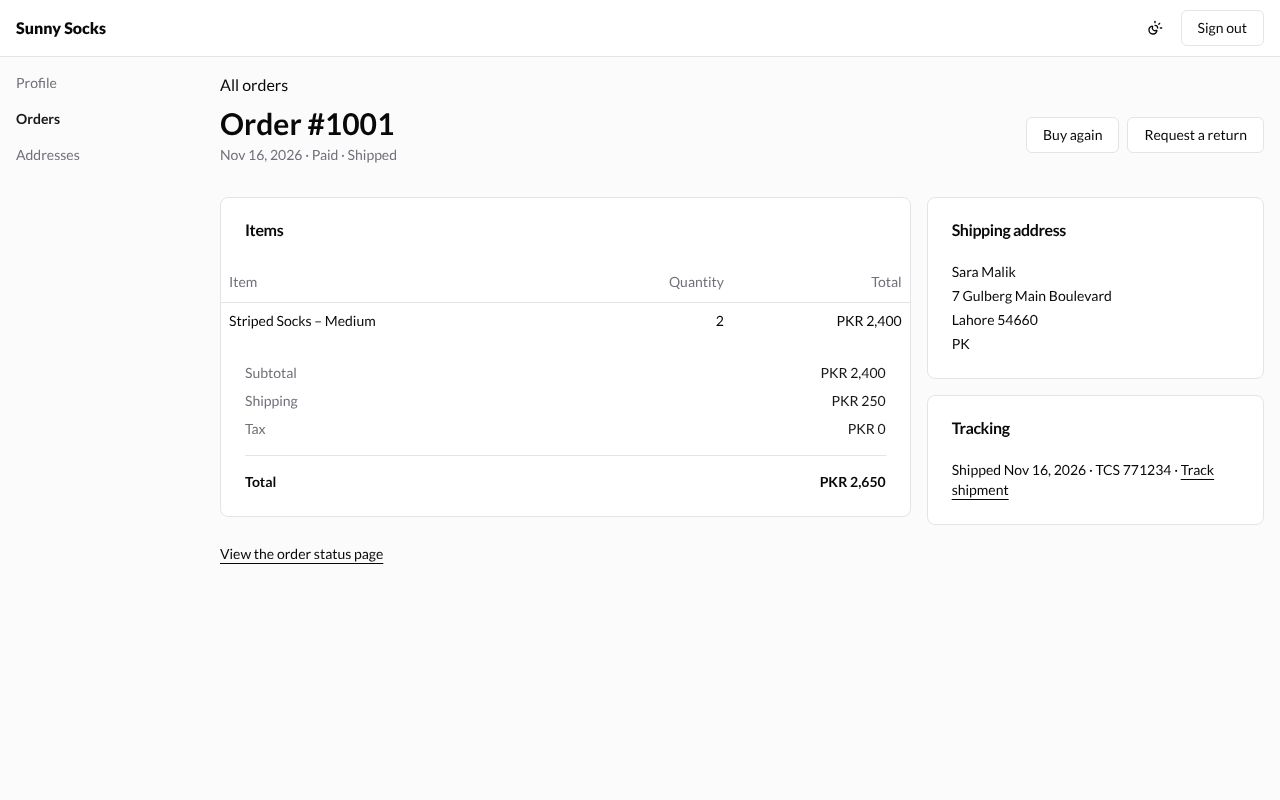
Press an order’s number. Its page shows:
- All orders, to go back;
- the order’s number, date and status, such as Nov 16, 2026 · Paid · Shipped;
- Buy again and Request a return at the top right;
- Items: each item with its Quantity and Total, then Subtotal, Shipping, Tax and Total;
- Shipping address;
- Tracking, once it is sent: Shipped, the date, the courier and number, and Track shipment;
- View the order status page, the same page as after checkout (see After the order).
Ask for a return
Only items that were shipped can be returned. Press Request a return. A window opens: Choose what you want to return and why. Each item has three boxes:
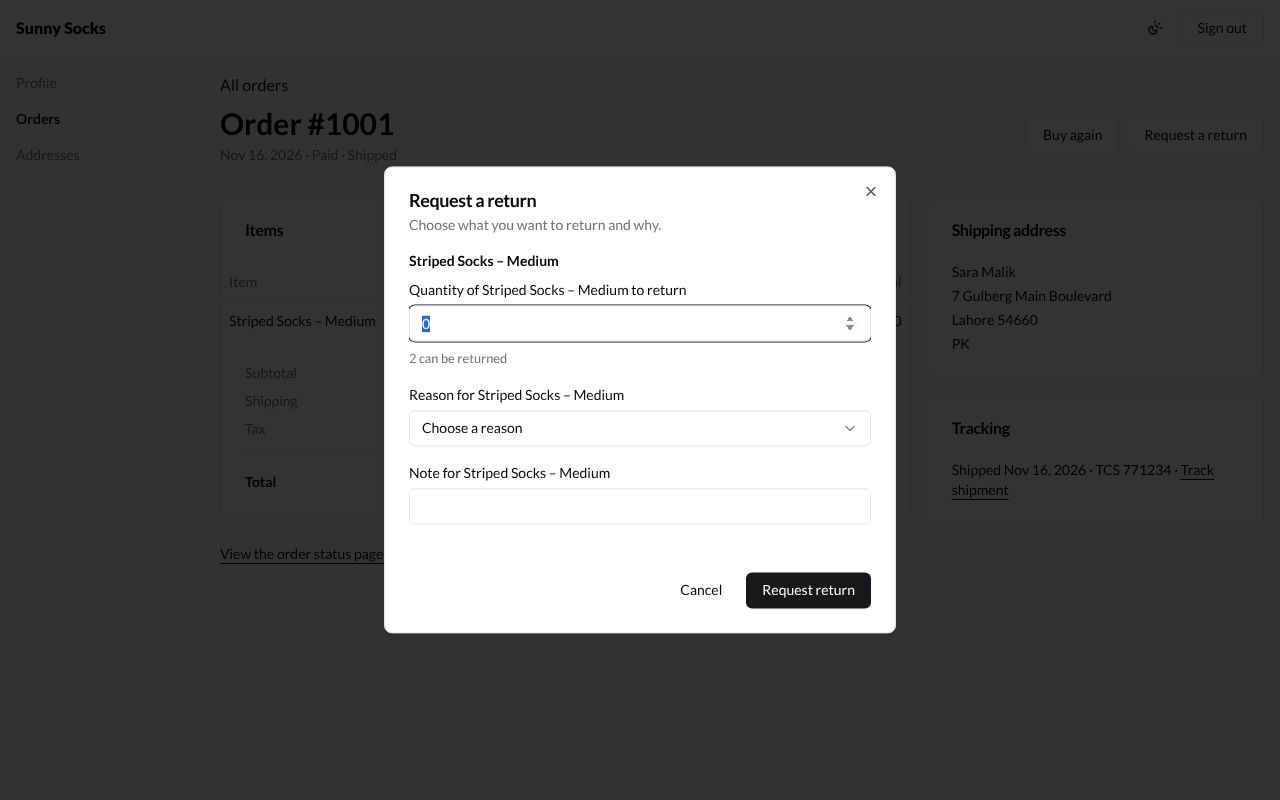
| Box | What to type | Example |
|---|---|---|
| Quantity of … to return | How many to send back. Under it, how many can be returned | 1 |
| Reason for … | Size was too small, Size was too large, Changed my mind, Not as described, Received the wrong item, Damaged or defective, Style, Color or Other | Size was too small |
| Note for … | Anything the store should know | Too tight, I need a Large. |
Press Request return. If no quantity was typed, the window says Choose at least one item to return. in red. That message stays in the window until you press Request return again:
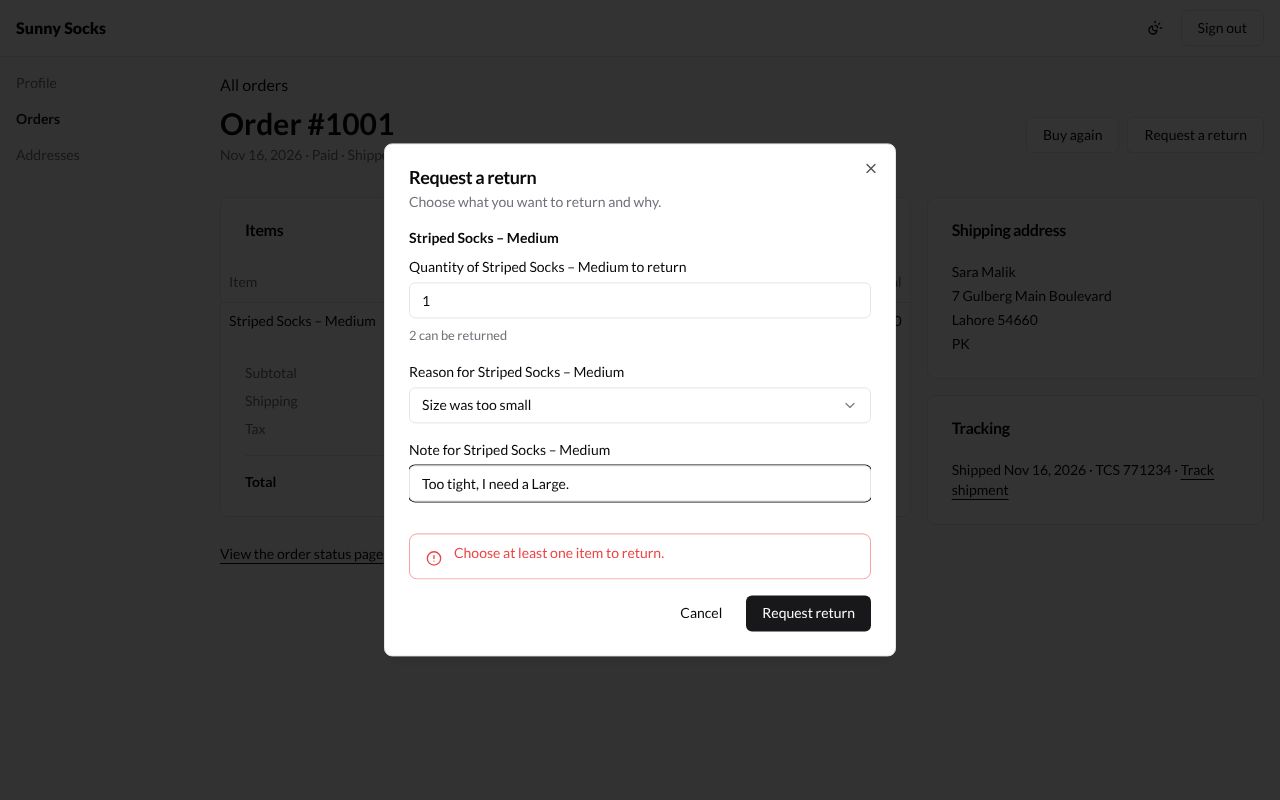
With the boxes filled in, Request return sends it. The order says Your return request was sent. The store will let you know., and a Returns card shows the return’s number and state, #1001-R1 · Requested · Nov 16, 2026. Request a return is gone while this return is open.
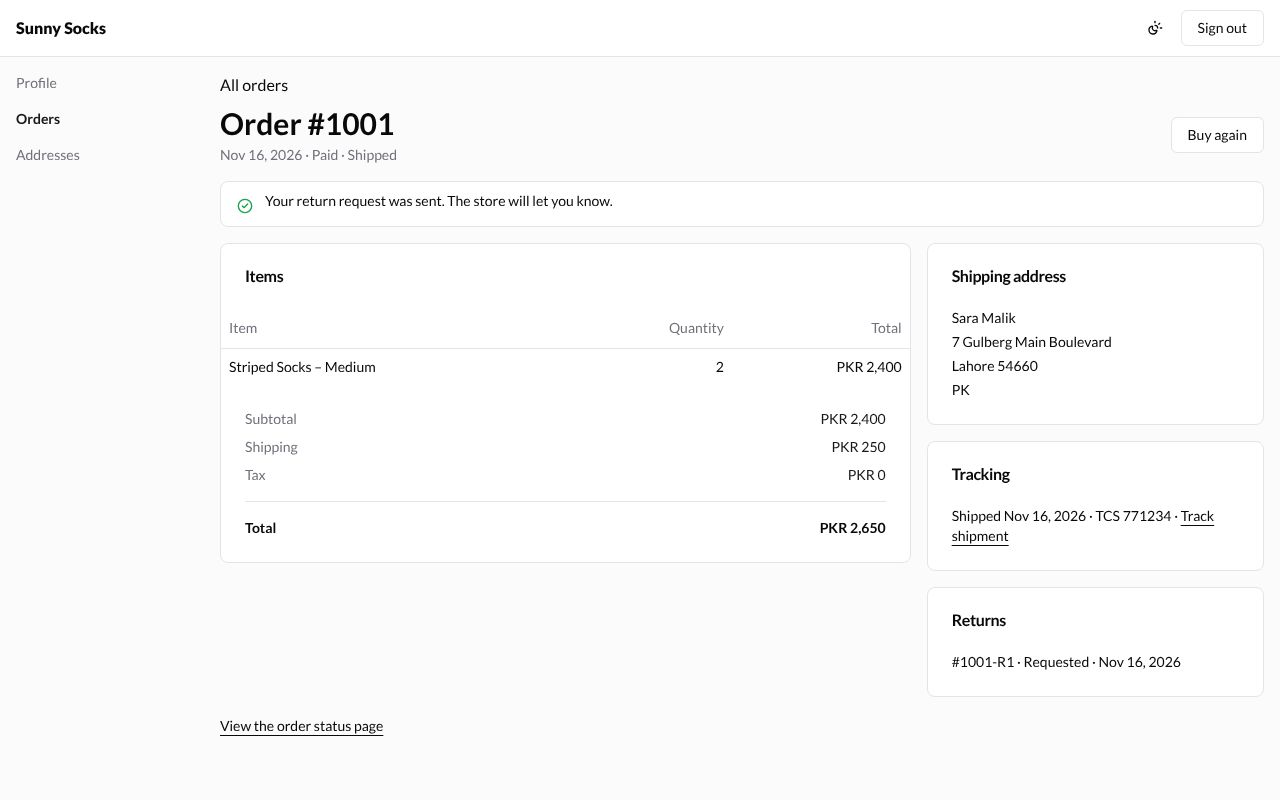
The store approves or declines it in the Admin (see Returns). The return’s state on this page then changes: In progress, Declined, Returned or Cancelled. When the store declines a request and leaves Notify customer ticked, the buyer gets an email saying so.
Buy again
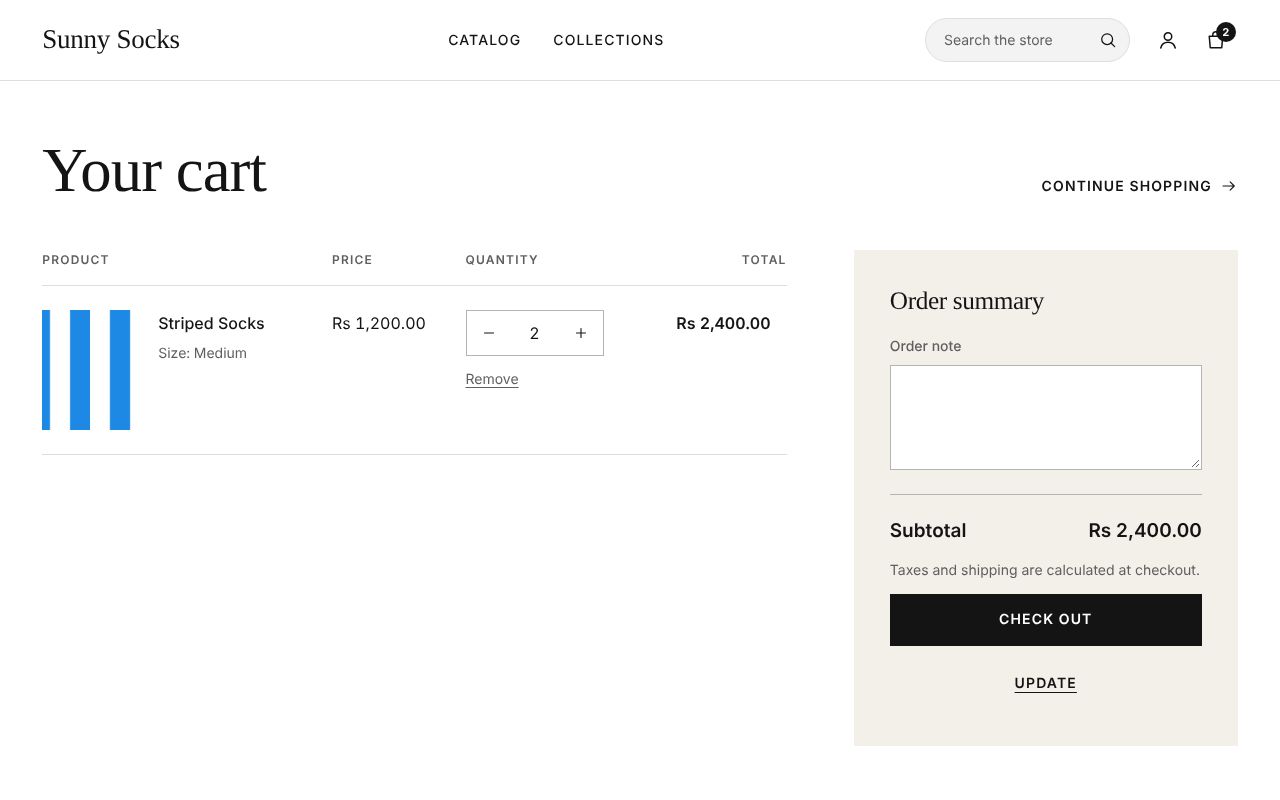
Press Buy again on an order. Its items go into your cart at today’s prices, and the cart opens.
What’s next
Addresses and profile: keep your addresses and your name.