Returns
Answer a buyer's return request, create a return yourself, and close or cancel it when the items come back.
A return is a record of items a buyer sends back. Only items that were fulfilled can be returned. A return can start in two ways: the buyer asks for it from their account on your store, or you create it.
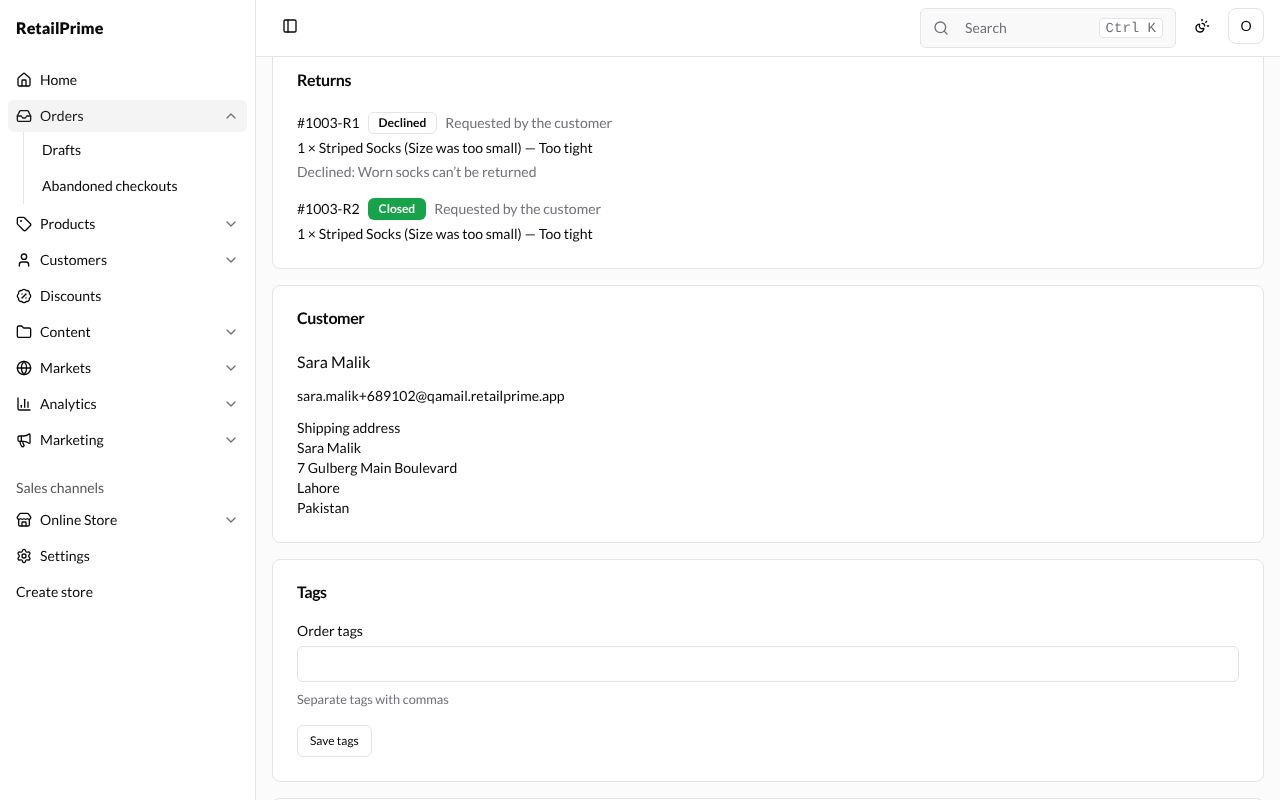
Each return gets a number made of the order’s number and R1, R2 and so on, such as #1003-R1. Its label shows where it is: Requested, Open, Declined, Closed or Cancelled.
A return the buyer asked for
When a buyer asks to return items from their account, the order gets a Returns card. The return is Requested, says Requested by the customer, and shows the items with the buyer’s reason and note, such as 1 × Striped Socks (Size was too small) — Too tight. It has two buttons: Approve and Decline.
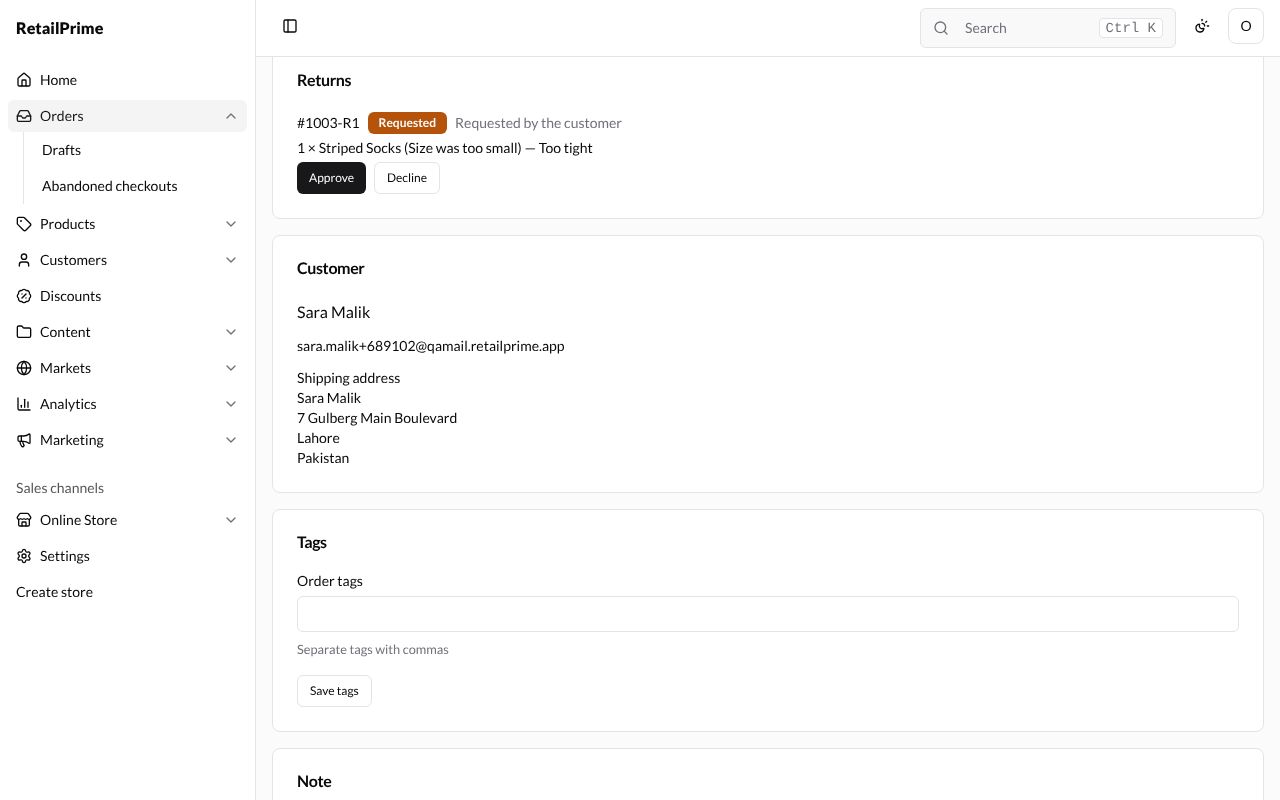
Decline a request
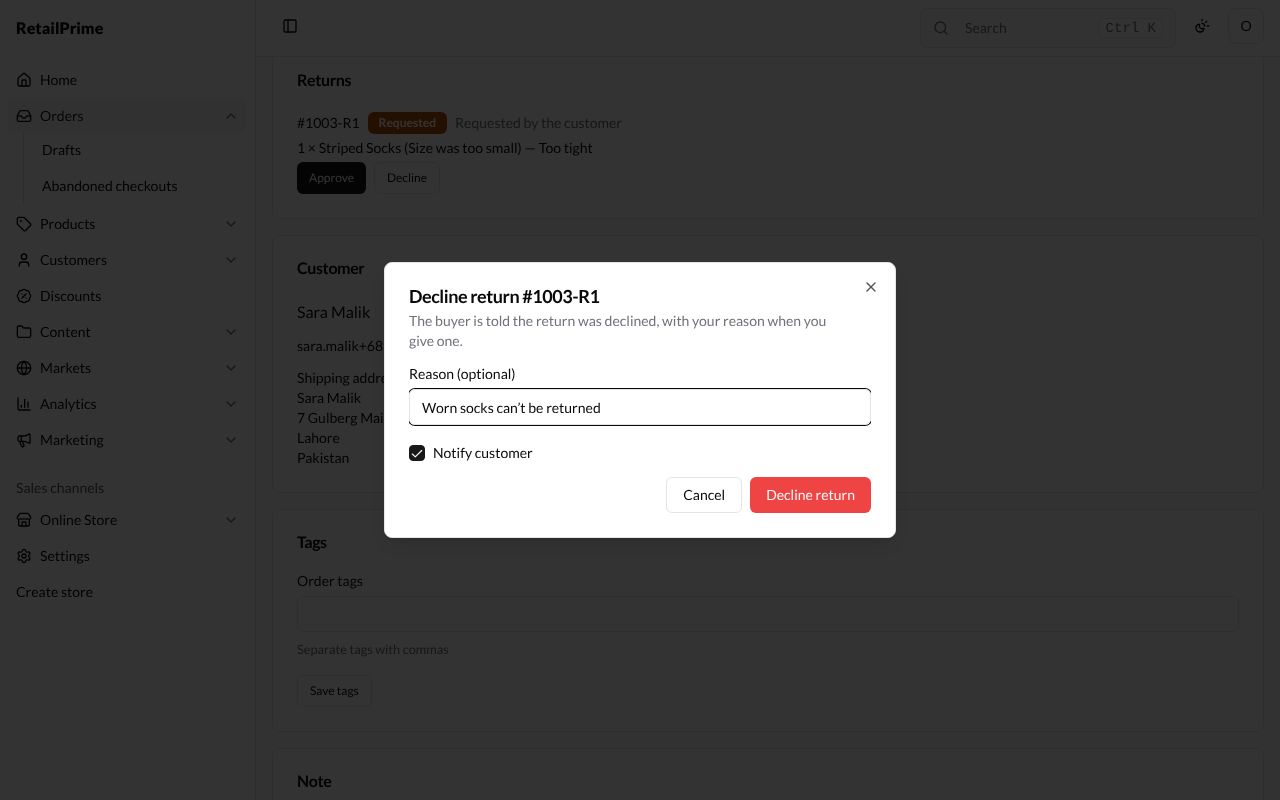
- Press Decline.
- The box, such as Decline return #1003-R1, says the buyer is told the return was declined, with your reason when you give one.
- Type a Reason (optional), such as
Worn socks can't be returned. - Leave Notify customer ticked to email the buyer.
- Press Decline return (the red button).
The return is now Declined, with Declined: and your reason under it. The buyer can ask again.
Approve a request
Press Approve. The return is now Open: you expect the items back. It has the buttons Close return and Cancel return.
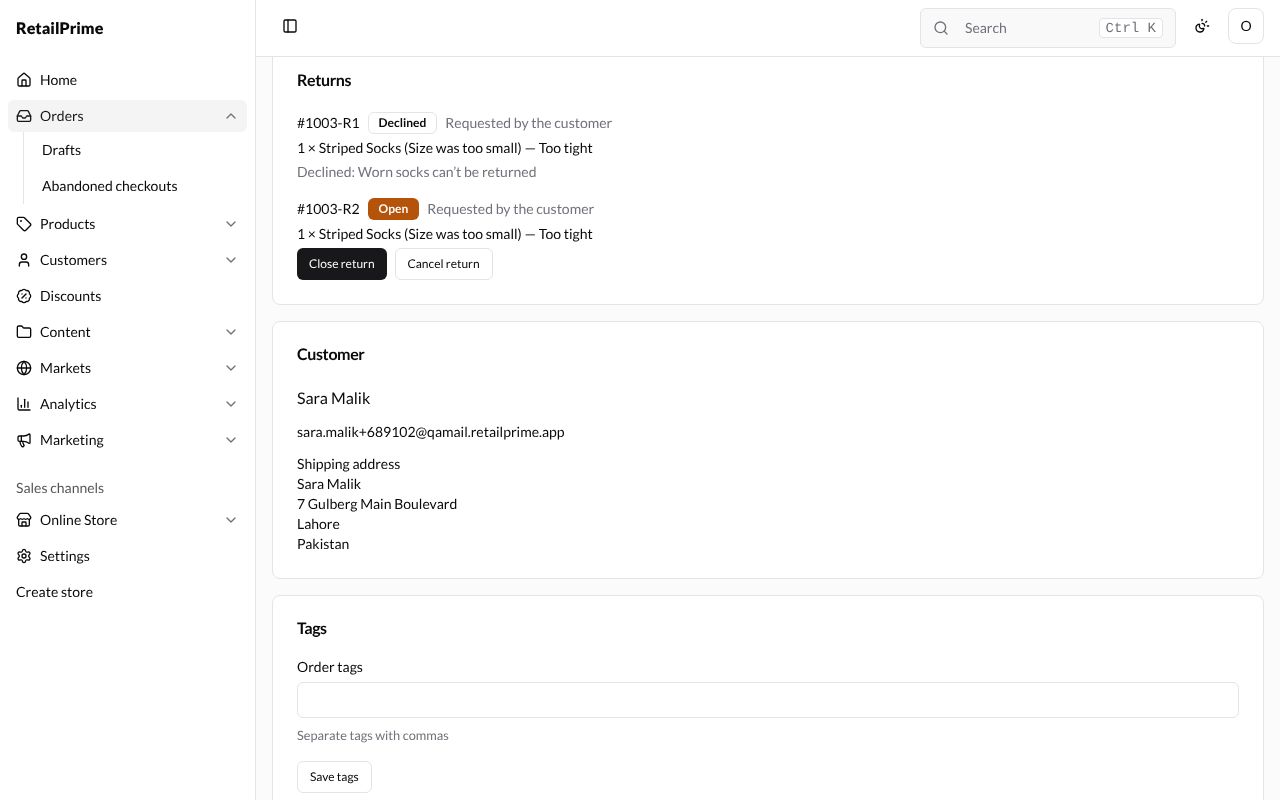
Close a return
When the items arrive back:
- Press Close return.
- The box, such as Close return #1003-R2, says it records the items as received.
| Box | What it does |
|---|---|
| Restock items | Ticked: the items go back into your stock |
| Refund items | Ticked: the items are refunded to the buyer now |
| Notify customer | Ticked: the buyer gets an email |
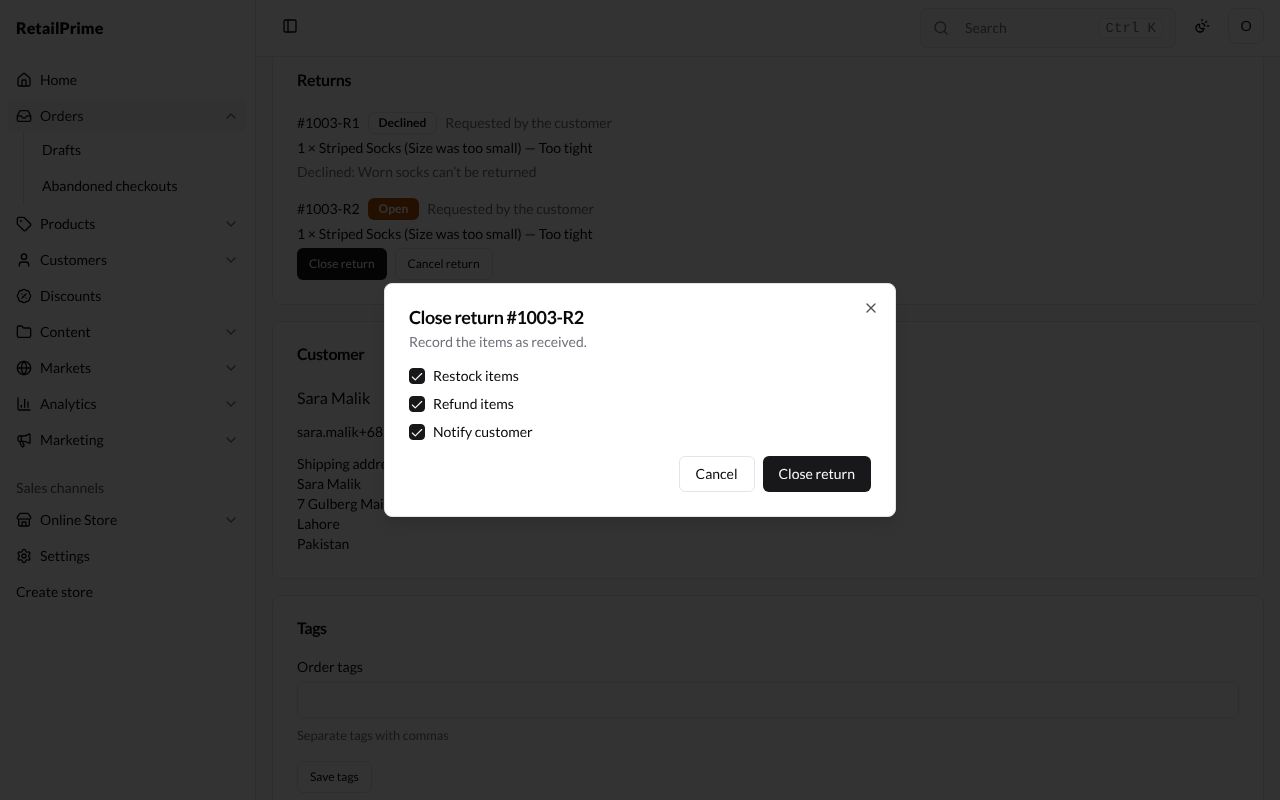
- Press Close return.
The return is Closed, and the order gets the label Returned. With Refund items ticked, the refund is listed in the Payment card (see Payments and refunds).
Create a return yourself
When a buyer tells you they are sending something back:
- On the order, press Return at the top right.
- The Create return box lists each fulfilled item that can still be returned.
| Box | What to choose | Example |
|---|---|---|
| Return quantity of … (of 1) | How many of that item come back | 1 |
| Return reason for … | Size was too small, Size was too large, Customer changed their mind, Item not as described, Received the wrong item, Damaged or defective, Style, Color or Other | Color |
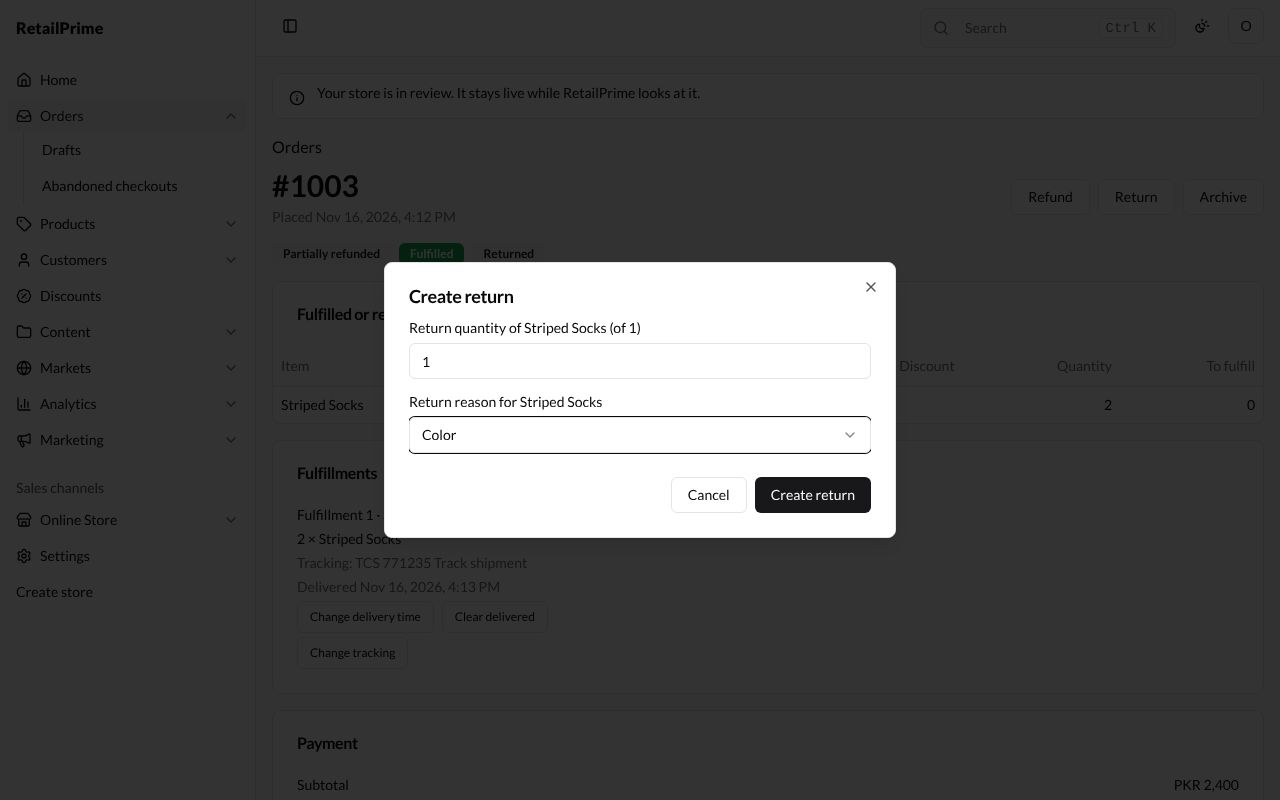
- Press Create return. The return is Open straight away, with Close return and Cancel return.
Cancel a return
Press Cancel return on an open return when the items are not coming back after all. The return is Cancelled. You can see a cancelled return, #1003-R3, at the bottom of the picture in Payments and refunds.
What’s next
Cancel an order: stop an order before it is sent.