Policies
Write your refund, privacy, shipping and other policies, publish them on your store, and see them linked from checkout.
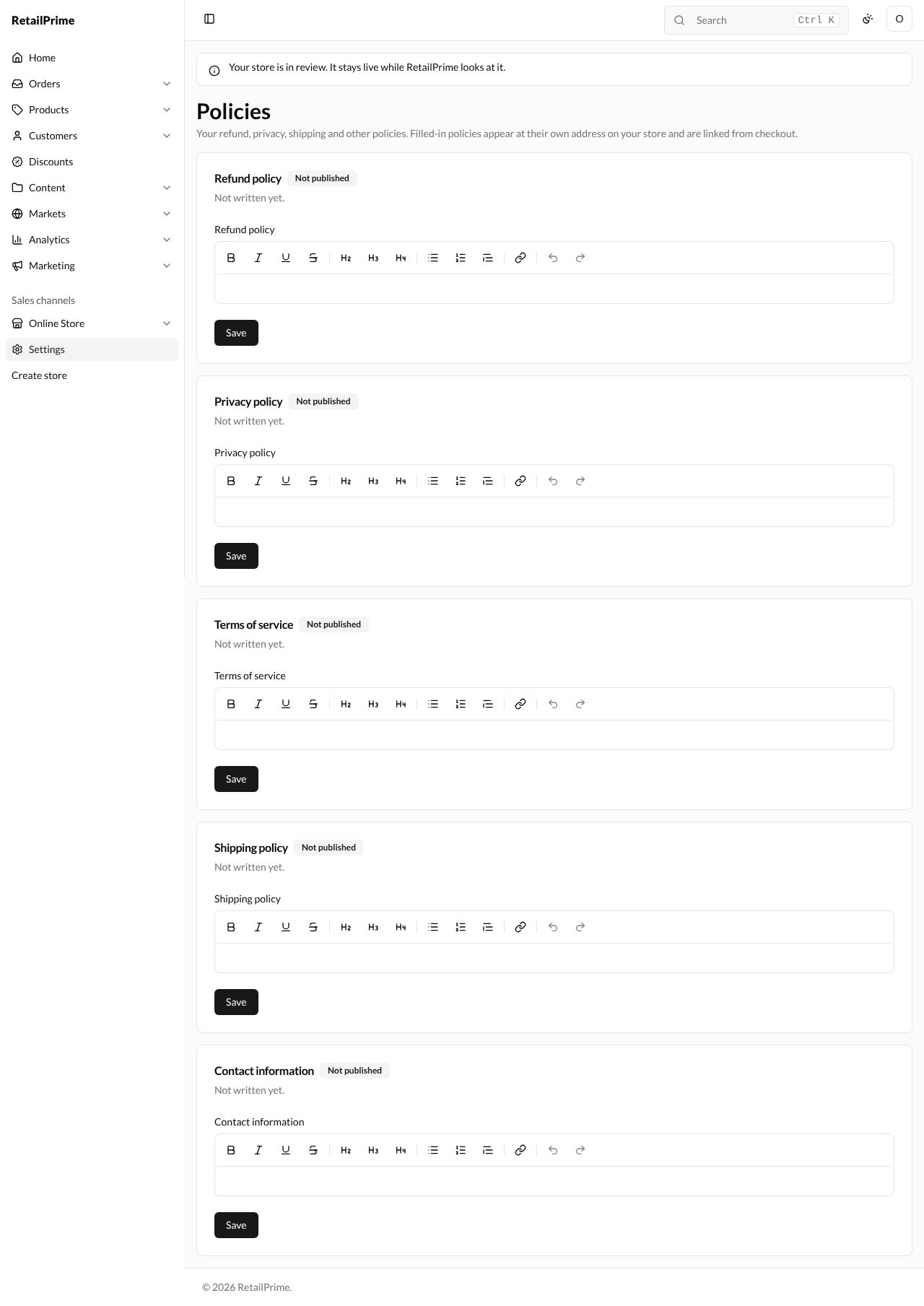
In Settings, press Policies. The page says Your refund, privacy, shipping and other policies. Filled-in policies appear at their own address on your store and are linked from checkout.
There is a card for each policy: Refund policy, Privacy policy, Terms of service, Shipping policy and Contact information. A new store’s say Not published and Not written yet.
Write a policy
- Click in the policy’s box and type. The bar above it formats the text: bold, italic, underline, strikethrough, headings (H2, H3, H4), lists, a link, and undo and redo.
- Press the Save under that policy. Each policy has its own Save.
| Policy | Example |
|---|---|
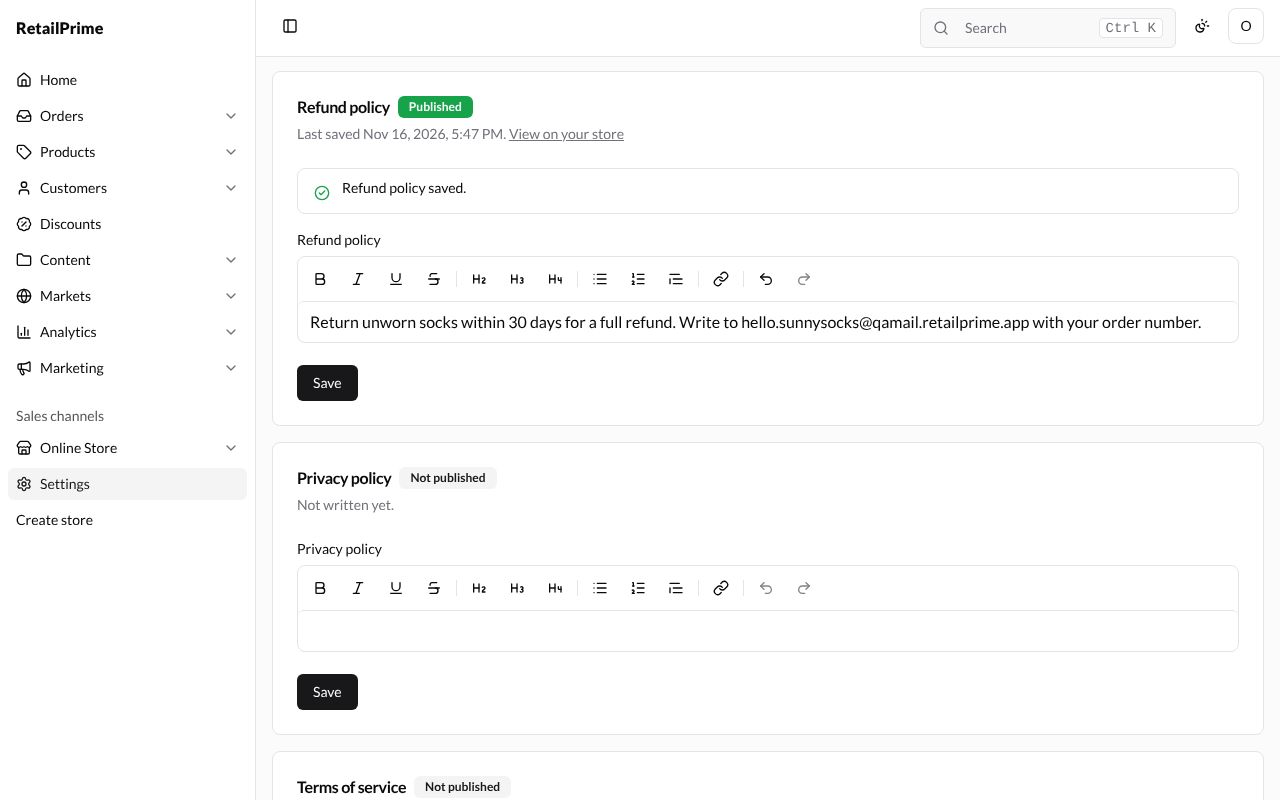
| Refund policy | Return unworn socks within 30 days for a full refund. Write to hello.sunnysocks@qamail.retailprime.app with your order number. |
| Shipping policy | We deliver across Pakistan in 3 to 5 business days. Delivery is free on orders over PKR 3,000, and you can pick up from our shop at 12 Mall Road, Lahore. |
The card says Refund policy saved., its badge turns to Published, and it shows Last saved with the time and a View on your store link.
On your store
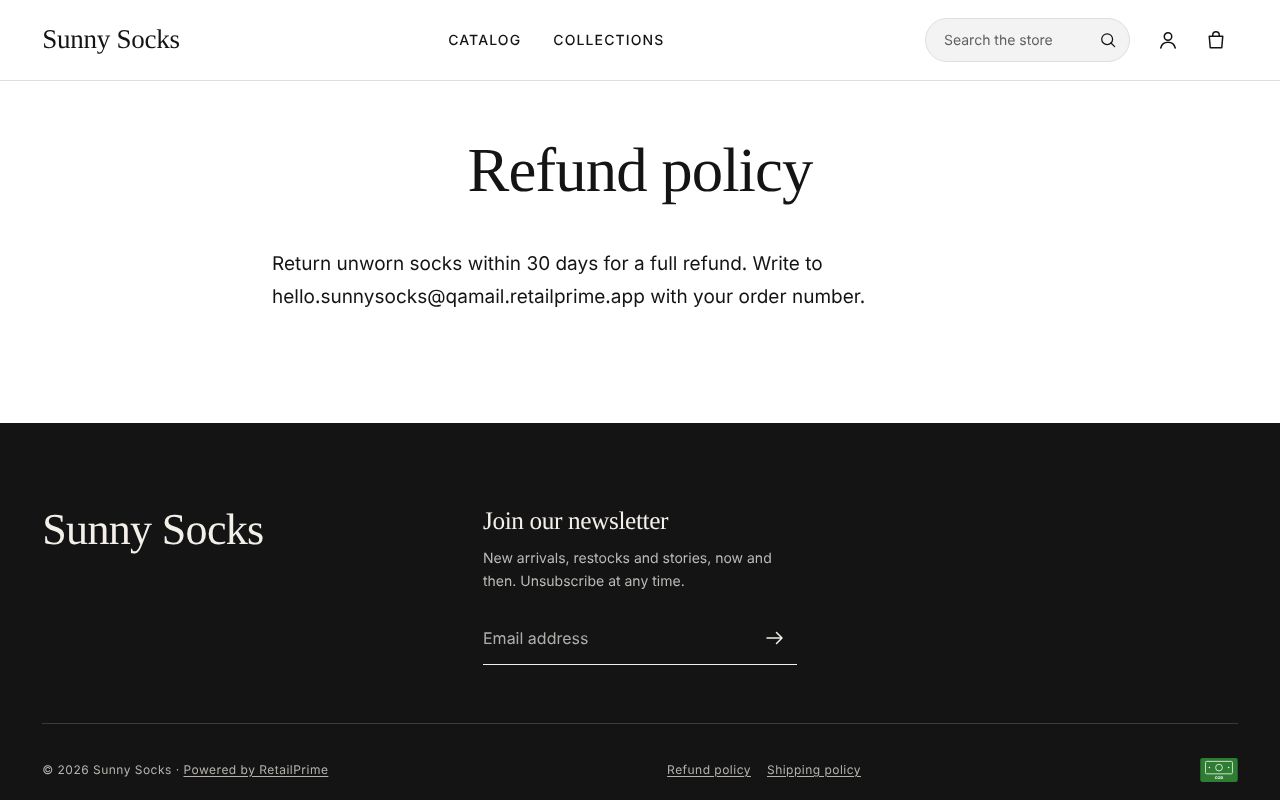
View on your store opens the policy at its own address, such as /policies/refund-policy. Each published policy is linked at the bottom of your store’s pages (in the starter theme) and of every checkout page, where it opens in a new tab.
Change or take down a policy
To change a policy, edit its text and press Save again. To take one off your store, empty its box and press Save: a policy appears on your store only while it is filled in, and an empty one’s address shows a missing page.
What’s next
Custom data: add fields of your own to your products, customers, orders and more.