Catalogs
Make a catalog with a price adjustment and chosen products, give a product a fixed price, find catalogs and delete one.
A catalog decides which products some buyers see, and at what price. You give a catalog to a market (buyers in some countries) or to a company location (a business you sell to). Buyers with no catalog see every active product at its own price.
Open Catalogs
In the sidebar, press Markets, then Catalogs (the Markets page also has a Catalogs button). The page says Which products a market or company location sees, and at what price. A new store has No catalogs yet.
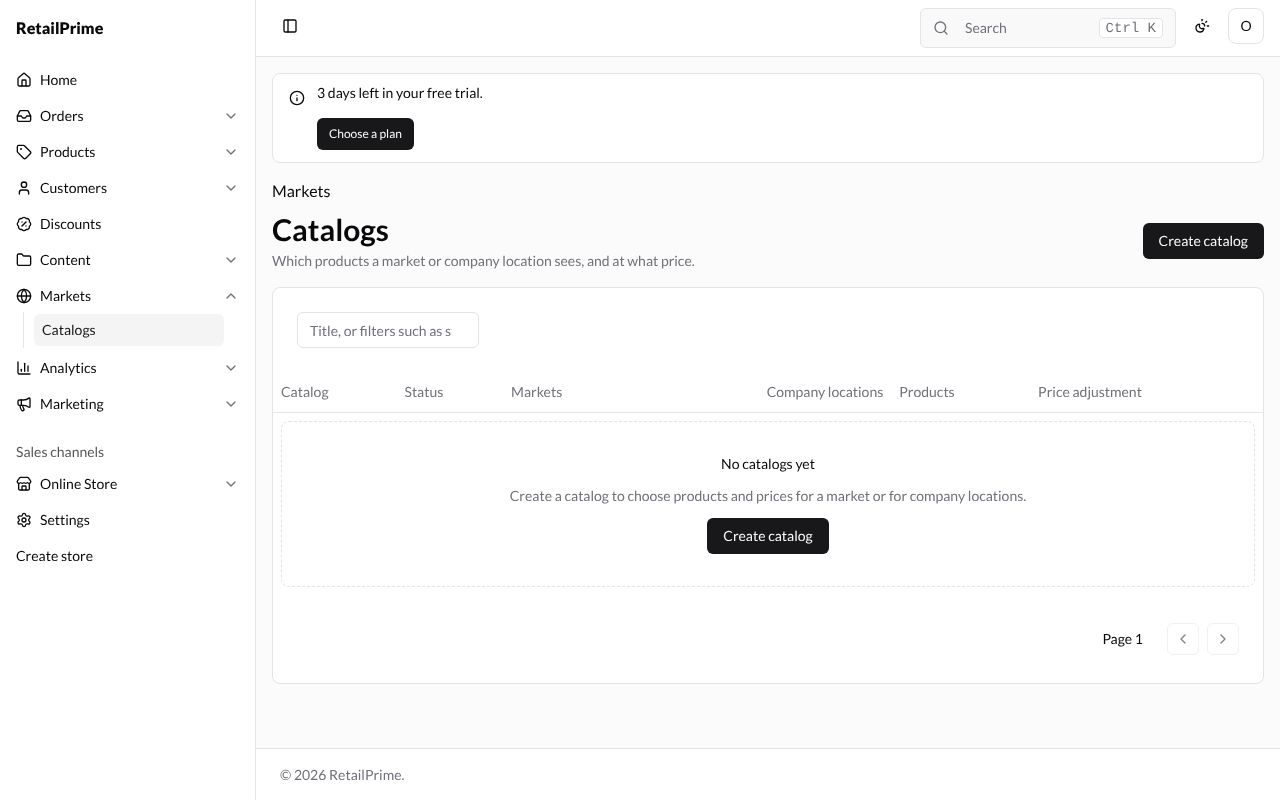
Create a catalog
Press Create catalog and fill in the cards.
Catalog
| Box | What to type or choose | Example |
|---|---|---|
| Title | The catalog’s name | Gulf prices |
| Status | Active, Draft or Archived. A draft or archived catalog is not applied. | Active |
| Price adjustment (%) | A percentage added to (or, with a minus, taken off) every price and compare-at price: From −99.99 to 1,000 | 10 |
Assigned to: Add markets and Add company locations give the catalog to them. You can also do this from the market’s page. Each one added has a Remove button. (See B2B markets and wholesale catalogs.)
Products: All products, or Chosen products. With Chosen products, the page says Save the catalog, then choose its products.
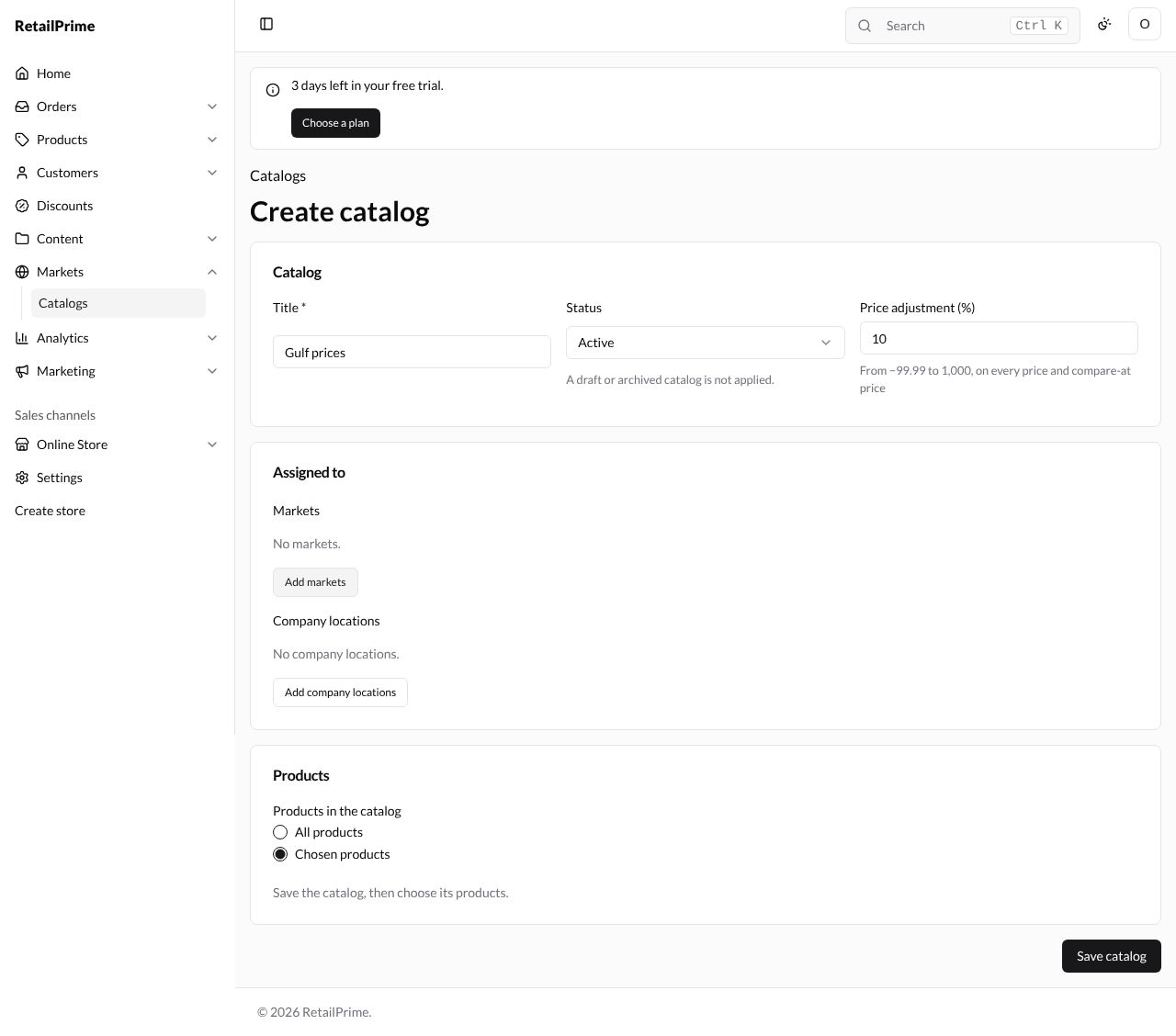
Press Save catalog. The catalog’s page opens with a red Delete at the top right.
Choose its products
With Chosen products, a list of the catalog’s products appears under Products, with a count such as 2 products.
-
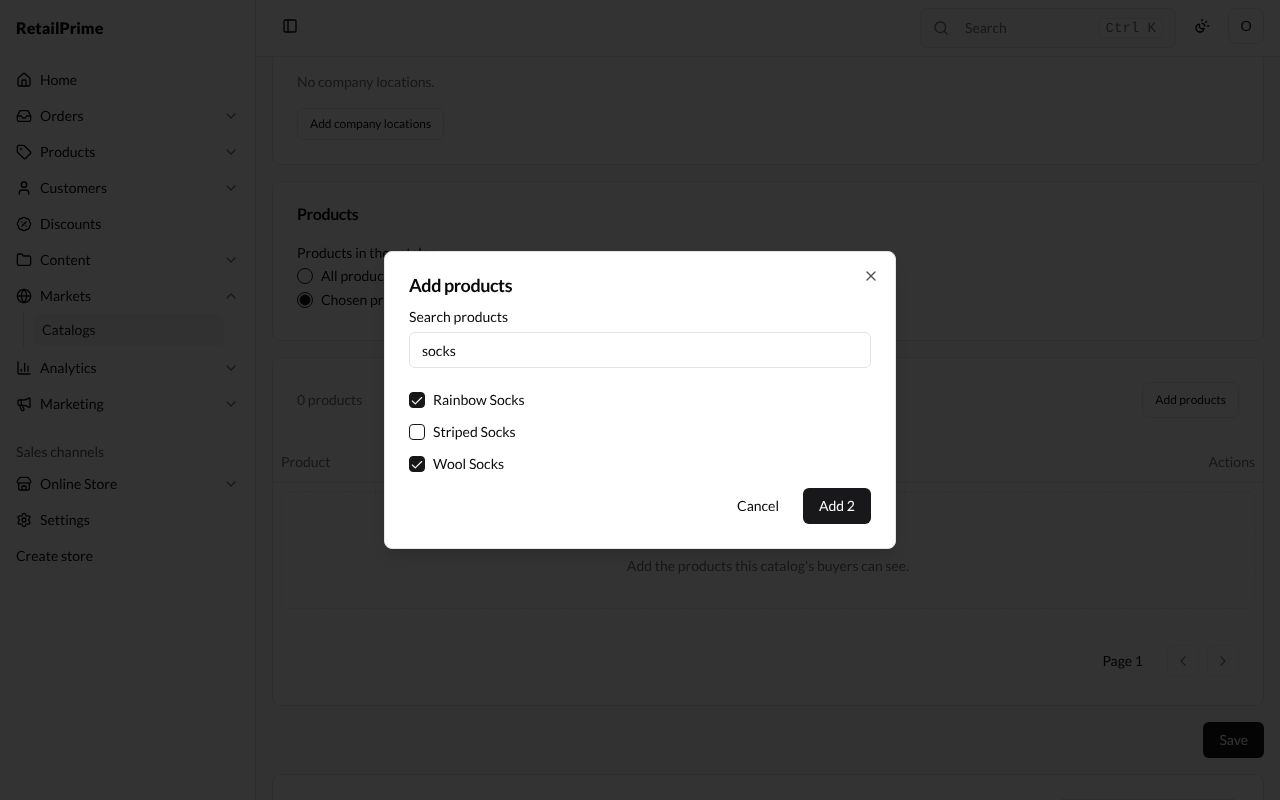
Press Add products. Type in Search products, tick the products and press Add 2. They are added straight away.
-
To take one out, press Remove … on its row, such as Remove Rainbow Socks.
Its prices
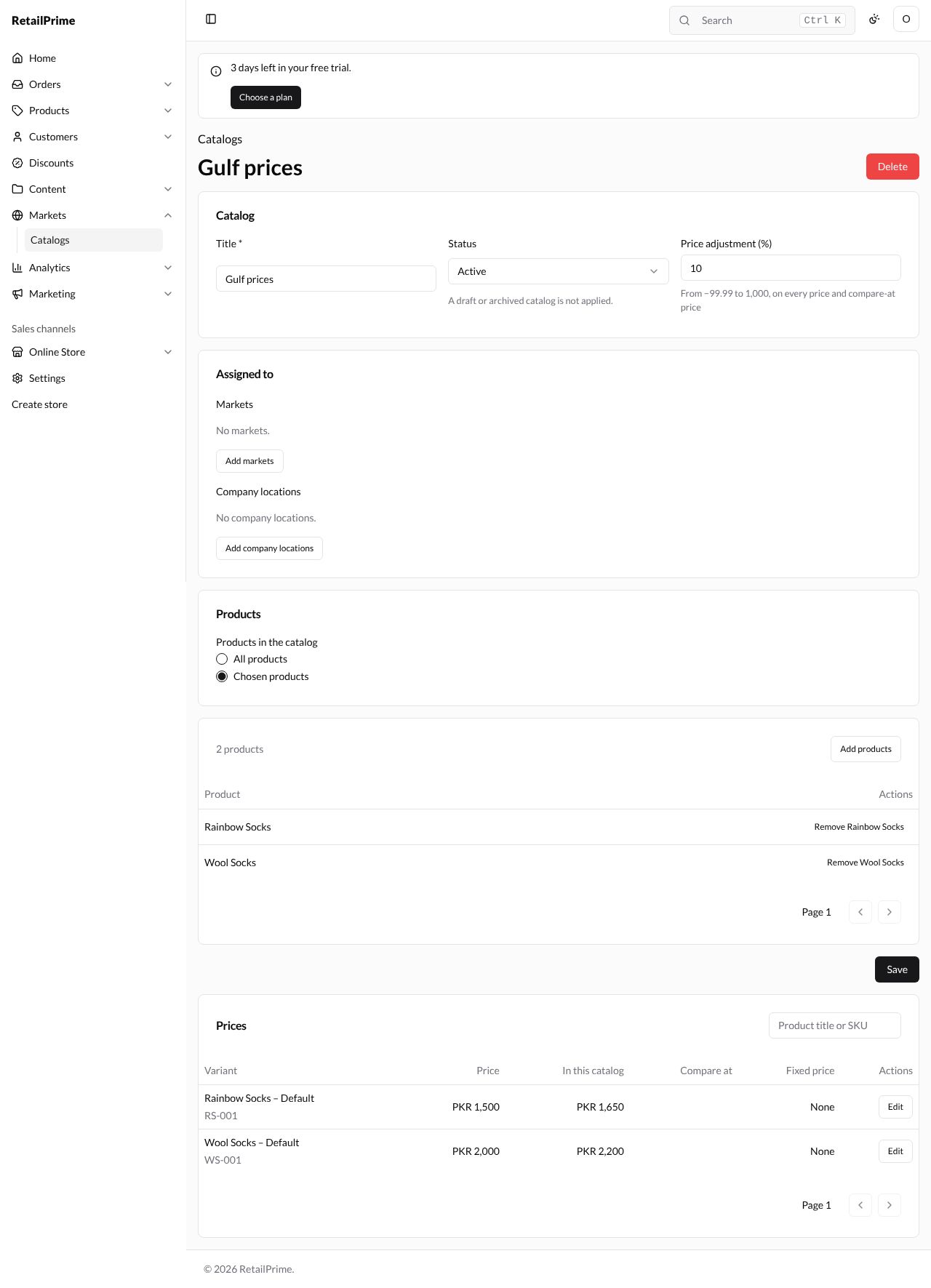
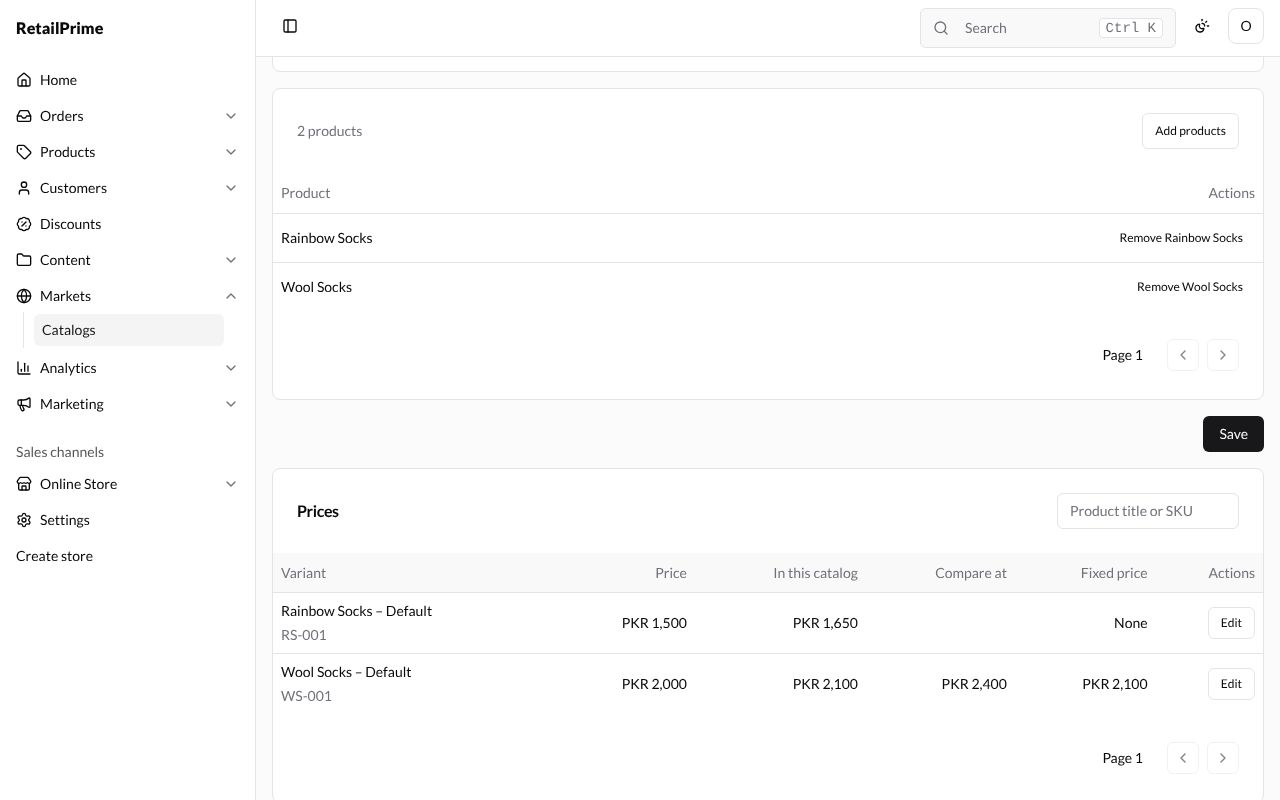
The Prices card lists each variant of the catalog’s products. Type a title or SKU in Product title or SKU and press Enter to find one.
| Column | What it shows |
|---|---|
| Variant | The product and variant, with its SKU |
| Price | The product’s own price |
| In this catalog | The price buyers of this catalog pay: here, 10 % more |
| Compare at | The compare-at price in this catalog |
| Fixed price | A price you set for this catalog only, or None |
| Actions | Edit |
Give a variant a fixed price
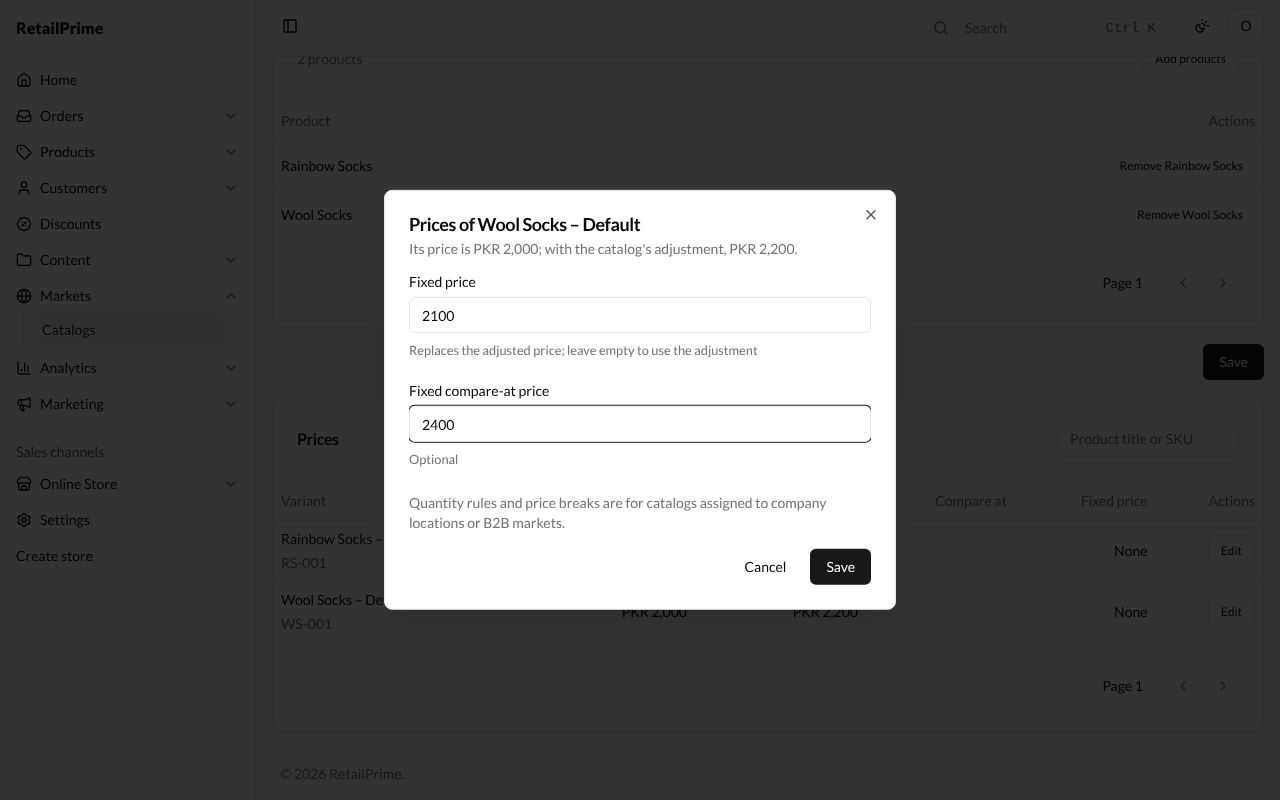
- Press Edit on the variant’s row. A window Prices of Wool Socks – Default says Its price is PKR 2,000; with the catalog’s adjustment, PKR 2,200.
- Type a Fixed price, such as
2100. It Replaces the adjusted price; leave empty to use the adjustment. - Optional: a Fixed compare-at price, such as
2400. - Press Save.
The window says Quantity rules and price breaks are for catalogs assigned to company locations or B2B markets. See B2B markets and wholesale catalogs for those.
The row now shows PKR 2,100 in In this catalog and in Fixed price, and PKR 2,400 in Compare at.
Edit a catalog
Change the Title, Status, Price adjustment (%), what it’s Assigned to or Products in the catalog, and press Save.
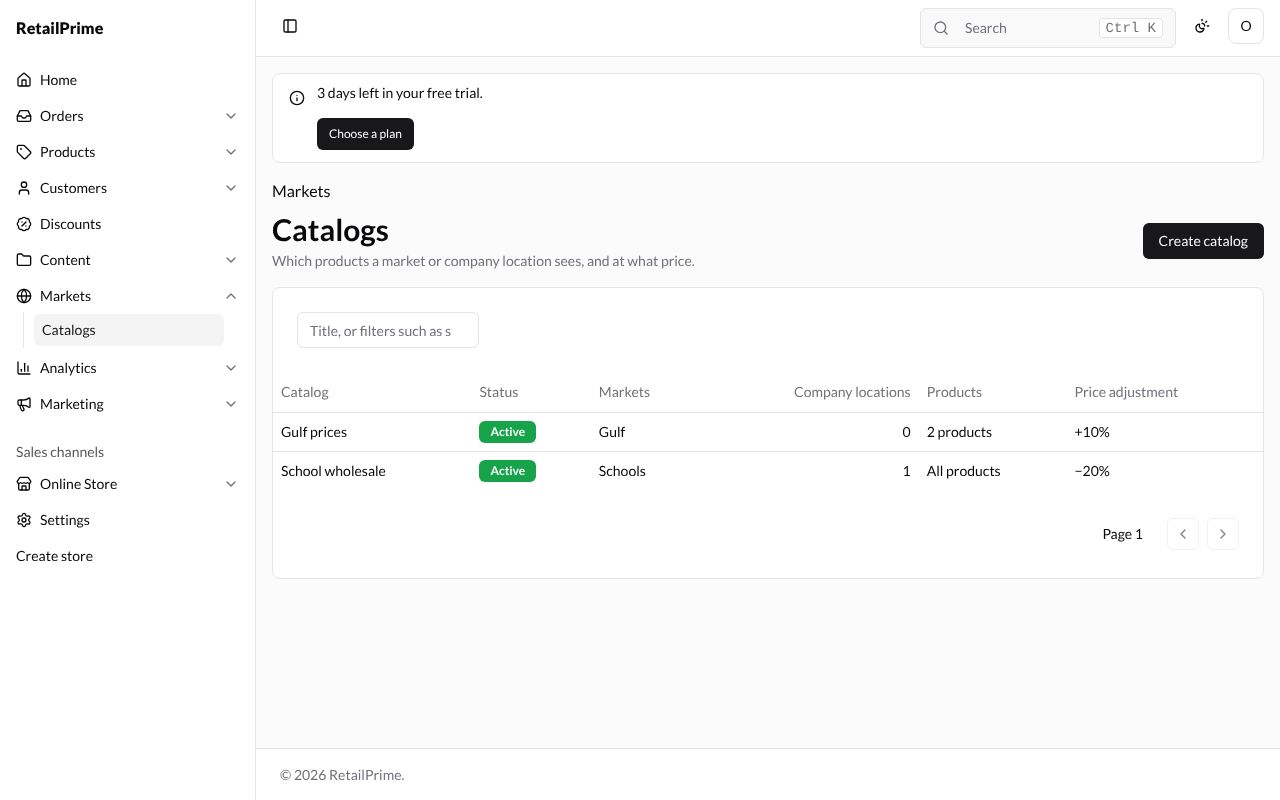
The catalogs list
Each catalog is listed with its Status, Markets, how many Company locations, its Products (All products or a count) and Price adjustment (such as +10% or −20%).
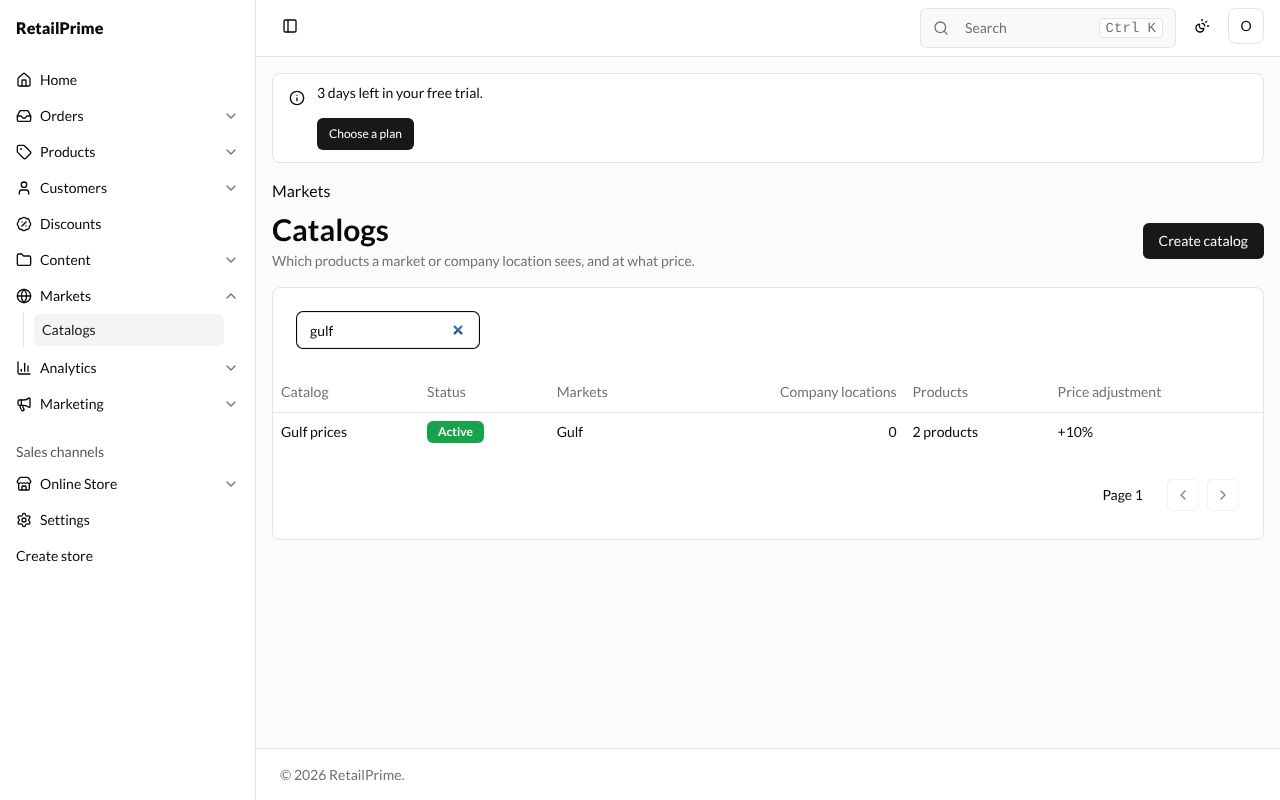
To find a catalog, type in the search box (Title, or filters such as status:active) and press Enter.
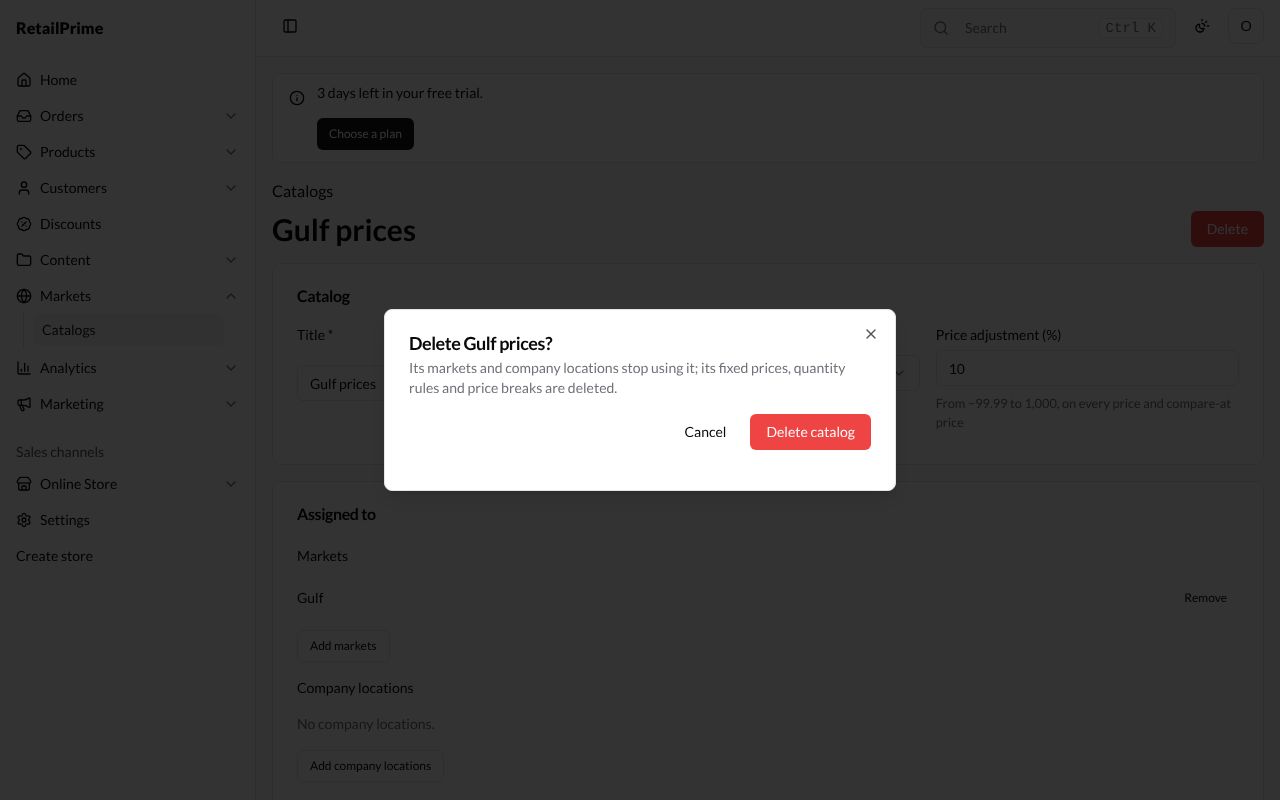
Delete a catalog
- Open the catalog and press Delete.
- A window asks Delete Gulf prices? and says Its markets and company locations stop using it; its fixed prices, quantity rules and price breaks are deleted.
- Press Delete catalog. You are back on the Catalogs list.
What’s next
Region markets: sell to buyers in other countries, with their own address and catalog.