Attribution and the Marketing page
See which channels brought your visits and sales, open each campaign's figures, and read the Marketing page's summary.
Attribution
In the sidebar, press Marketing, then Attribution. The page says Where your sessions and sales came from, against the period before. An order counts for the session that placed it (last click); visitors are recognised within a day, without cookies.
Choose the Date range: Last 7 days, Last 30 days or Last 90 days.
Each row is a channel, a kind of place visitors came from, such as Direct (they typed your address) or Campaigns (they came by one of your campaigns’ links):
| Column | What it means |
|---|---|
| Channel | Where the visits came from |
| Sessions | How many visits, with the change from the period before (— when there was nothing before) |
| Orders | Orders placed in those visits |
| Sales | What those orders came to, with the change |
| Conversion rate | The share of visits that ordered |
| Average order value | Sales divided by orders |
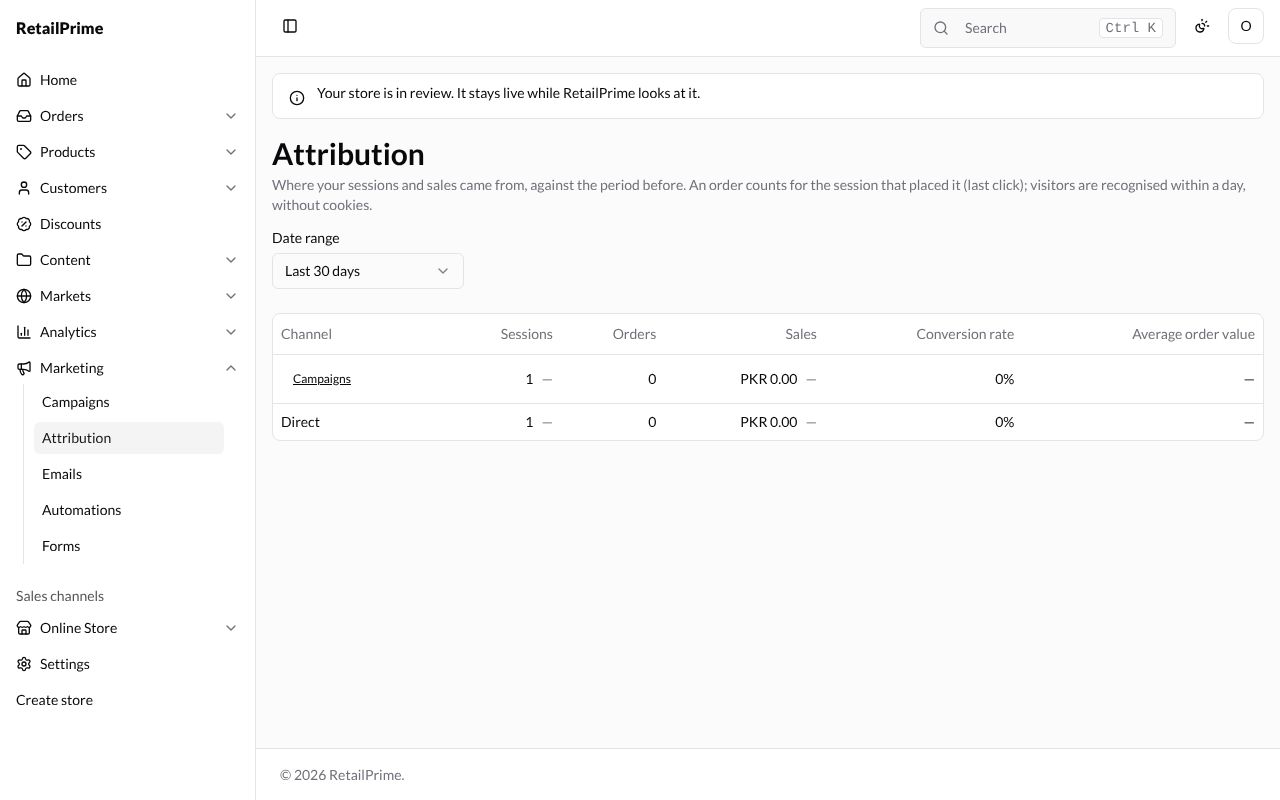
When nobody visited in those dates, the table says No sessions in this period.
Each campaign
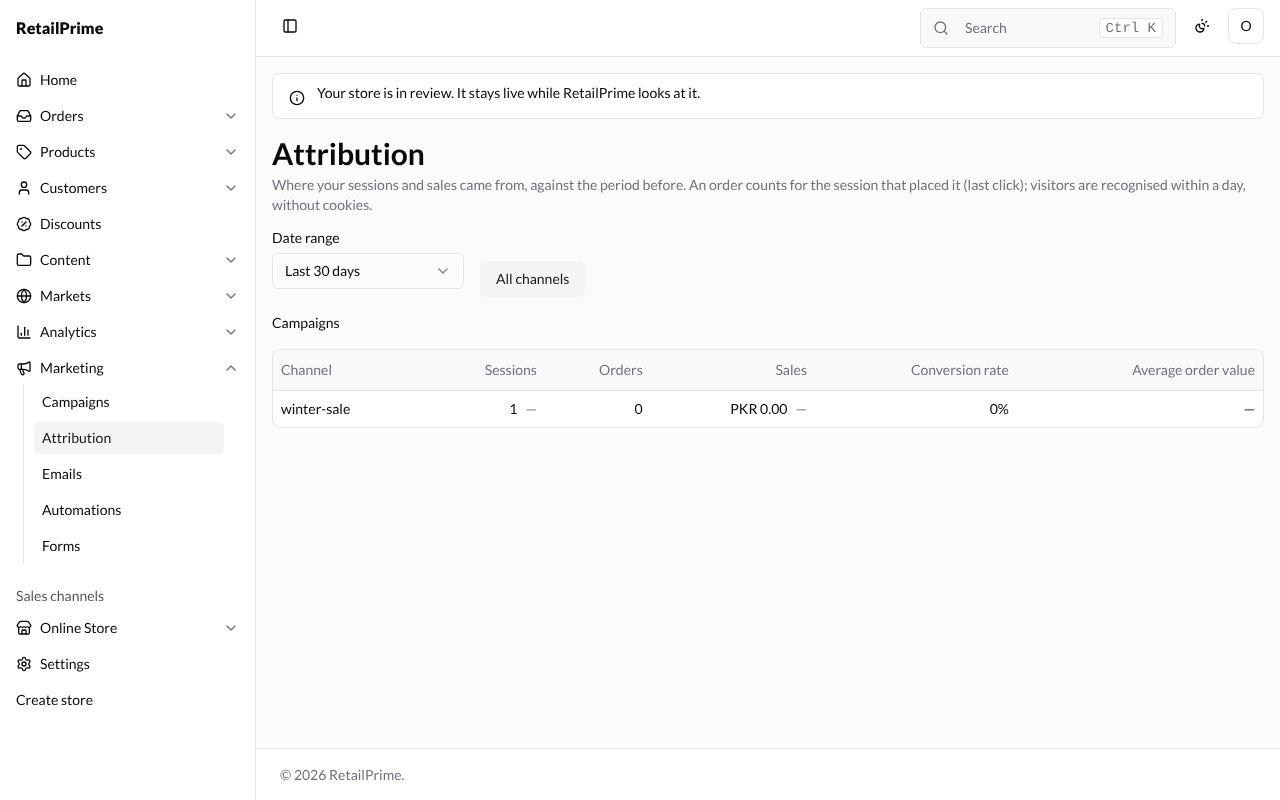
Press Campaigns in the Channel column. The table now lists each campaign by its campaign value, such as winter-sale, with the same columns. Press All channels to go back.
The Marketing page
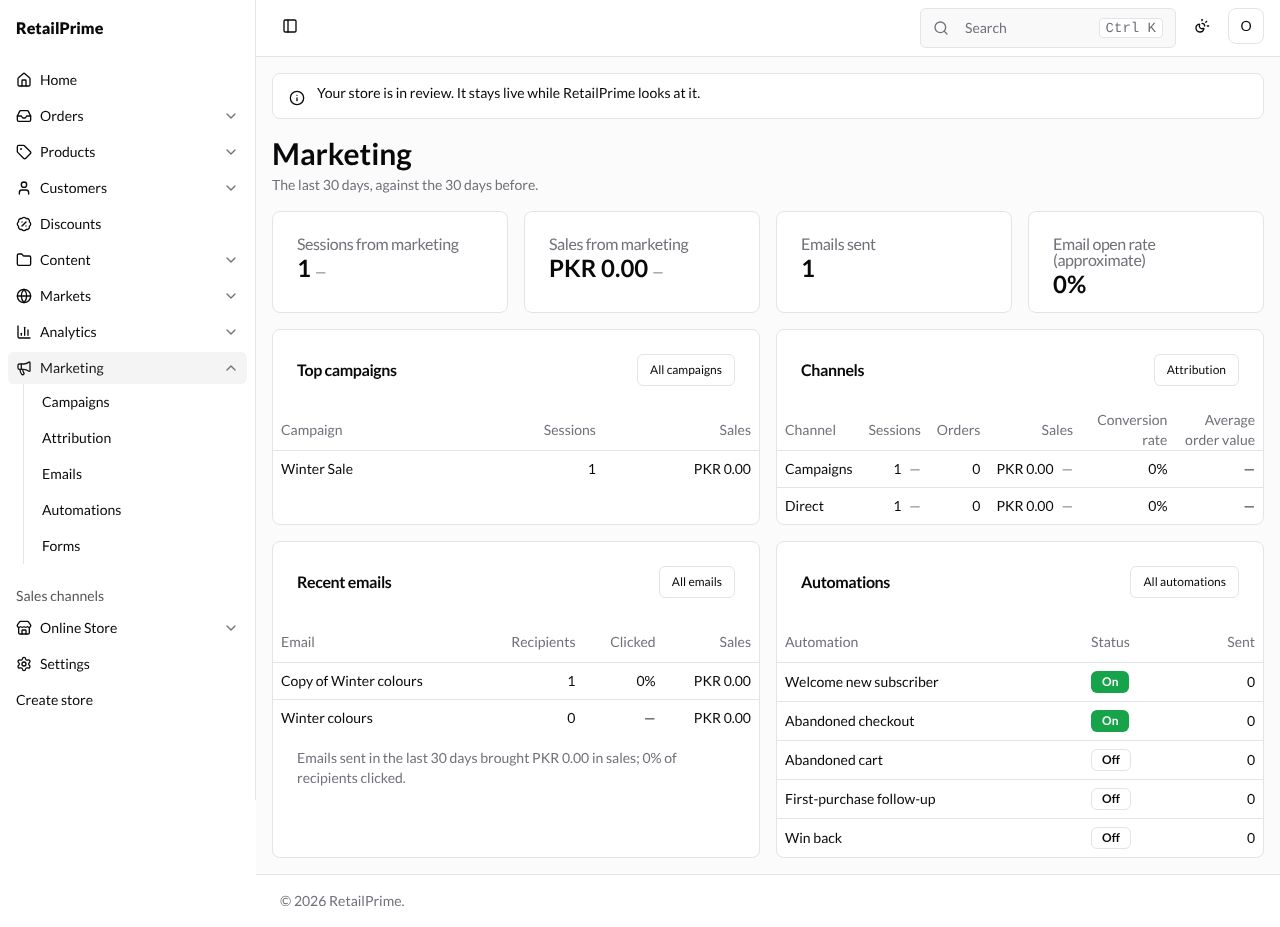
In the sidebar, press Marketing. The page sums up The last 30 days, against the 30 days before.
| Card | What it shows |
|---|---|
| Sessions from marketing | Visits from your campaigns and emails |
| Sales from marketing | What those visits’ orders came to |
| Emails sent | How many marketing emails went out |
| Email open rate (approximate) | The share that were opened |
| Top campaigns | Your best campaigns by sales, with Sessions and Sales. All campaigns opens Campaigns |
| Channels | The same table as Attribution. Attribution opens it |
| Recent emails | Your latest emails with Recipients, Clicked and Sales, and a line such as Emails sent in the last 30 days brought PKR 0.00 in sales; 0% of recipients clicked. All emails opens Emails |
| Automations | Each automation with its Status and how many were Sent. All automations opens Automations |
Press a campaign, email or automation’s name to open it.
What’s next
The Analytics overview: the whole store’s sales, visits and customers.